
Open a building's energy data and you will almost always find the same thing: hours when heating or cooling is running in a space with nobody in it.
People left a meeting without turning off the air conditioner, the last person out switched off only the lights over their own desk, or it is the weekend and the HVAC schedule is still set to weekdays.
The fix looks obvious. If nobody is there, turn it off automatically.
Yet this simple-looking automation often fails in the field. After the lights go out mid-meeting a few times and the attendees have to wave their arms, the administrator ends up disabling the automation rule. The system is then left as an expensive monitoring tool.
This article covers what you actually have to decide when designing space-level control. These are the points we kept running into while building space control systems for buildings and facilities.
1. What counts as one unit
The first decision in control system design is the smallest unit of control. It determines the structure of every screen and rule that follows.
Device-level control alone is not operable
Once IoT devices are integrated, each one can be switched on and off individually. You get a list: 12 lights, 3 air conditioners, 2 ventilation fans.
This structure stops being usable as soon as the number of devices grows. When a single building has hundreds of devices, finding the one you want in the list becomes a task in itself.
What people want in day-to-day operation usually looks like this.
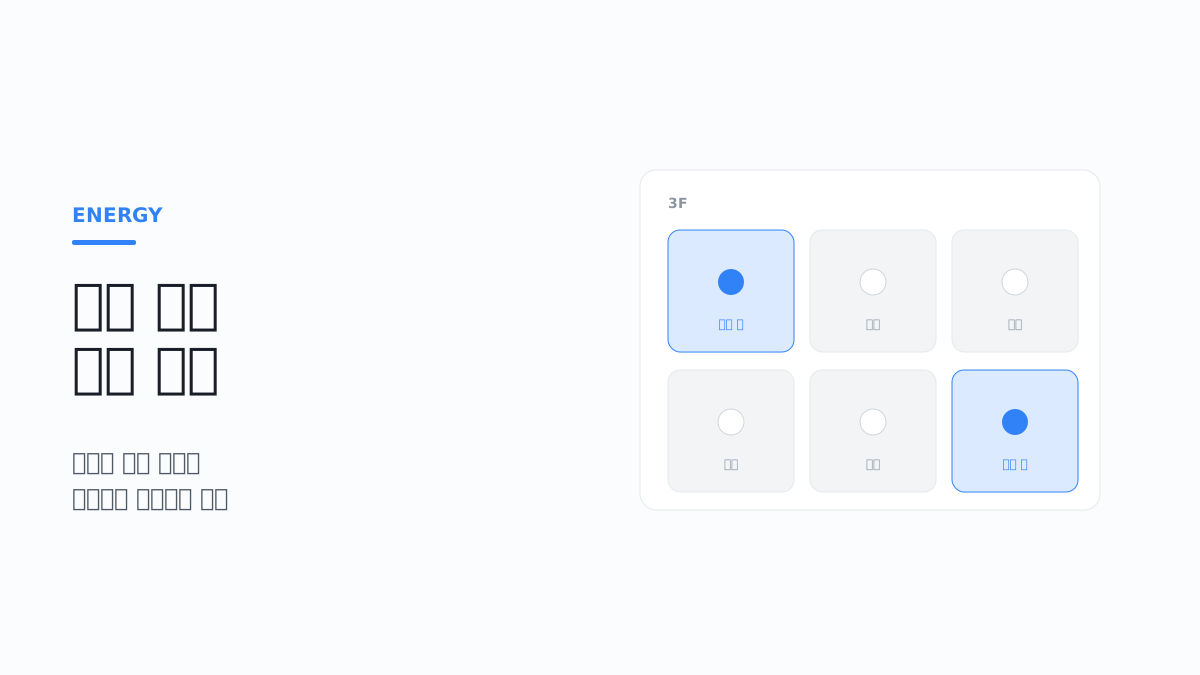
- "Check out the large meeting room on the 3rd floor"
- "Turn off all lights on the 2nd floor"
- "Switch to weekend mode"
They think in terms of spaces, not devices. The structure of the system has to match.
Define the hierarchy first
This is the structure we use.
Building
 └ Floor
    └ Space
       ├ Device  — lights, switches, HVAC units
       └ Sensor  — temperature, humidity, occupancy, illuminance
Each level manages different information.
| Level | Information managed | Control target |
|---|---|---|
| Building | Address, operating status, meter settings | Building-wide batch control |
| Floor | Floor number, list of spaces on the floor | Floor-level batch control |
| Space | Type (office/meeting room/common area), area, capacity, current state | Primary unit of control |
| Device | Manufacturer identifier, installed location, online status | Individual control |
| Sensor | Measured items, mapped space | Not a control target (input) |
There is one important design decision here. Devices and sensors must be able to exist without being mapped to a space. Right after a new installation, or while spaces are being rearranged, some devices have no assigned space. If the system does not allow this state, registration itself is blocked during operation.
Decide the naming convention first
Once there are more than a few dozen devices, names become a management tool. Register devices without a convention and you will not be able to find what you want in the list later.
This is a state we often see on site.
Light1, Light2, Switch, New device, test, AC (edited)
At this point there is no way to tell which device is where. It gets worse when the installer changes.
The convention we recommend is to put the location first and the purpose after it.
3F-MeetingRoomA-Light-01
3F-MeetingRoomA-HVAC-01
B1-MechanicalRoom-Pump-02
The name alone then tells you the location, and sorting groups the devices in the same space together. However, putting the location in the name means the name has to change when a device is moved, so it is safer to keep the internal system identifier separate from the display name.
You should also avoid showing the manufacturer-assigned identifier on screen as it is. A string the administrator cannot read does not help operation. Keep it internally, and show the name a person gave the device.
Give the space a "current state"
Apart from whether the devices are simply on or off, managing the state of the space itself makes operation easier.
- In use / vacant
- Being cleaned
- Under inspection
- Reserved
With this state, automation rules can be written more precisely. You can set conditions such as "apply power saving only to spaces in the vacant state," and you can prevent the lights from going out in a space that is being cleaned.
You also have to decide who changes the state. A person changing it directly, a sensor deciding to change it, and a change coming from a reservation system integration each behave differently.
2. In automation, "when not to turn off" is harder than "when to turn off"
The real difficulty of occupancy-based control is not detection itself but preventing wrong decisions.
Occupancy detection is less accurate than you think
These are the commonly used detection methods and the weakness of each.
| Method | Principle | Weakness |
|---|---|---|
| PIR motion sensor | Detects changes in infrared | Misses people who are not moving. People seated in a meeting are the typical case |
| mmWave radar (60GHz, etc.) | Measures distance, speed and angle from radio wave reflections | Also picks up non-human movement (fans, plants, people passing outside the zone). Zone and distance filter settings are required |
| Door sensor | Detects door opening and closing | Does not know the head count. Cannot tell whether a person who entered has left |
| Carbon dioxide concentration | Concentration rises with the number of occupants | Slow to respond. Affected by ventilation conditions |
| Power usage pattern | Estimated from device consumption | An indirect indicator. Hard to distinguish from standby power |
| Reservation system integration | Based on reservation information | People reserve and do not show up, or use the space without a reservation |
None of them is sufficient on its own. In particular, controlling a meeting room with a PIR sensor alone will almost certainly cause problems. If the attendees are seated and only looking at a screen, no motion is detected.
This is not a product defect but a limit of the method. The sensor manufacturer's own documentation states that detection may fail when the heat source does not move or there is no temperature change, and explains that sensitivity drops when the difference between body surface temperature and background temperature is small, as in summer (Panasonic PIR Motion Sensors FAQ). This is where the phenomenon of missed detections increasing only in summer, with the same sensor in the same position, comes from.
mmWave radar compensates for this weakness. It can see even slight movements such as breathing or typing, so seated people are missed less often. In exchange, because the range of what it detects is wider, it presupposes settings that filter out unwanted movement by detection zone (coordinates), distance and height (TI SWRA818). It is not a sensor that becomes accurate just by being mounted; it is a sensor whose zones have to be set up for each space.
Carbon dioxide concentration is not suited to quickly determining "whether" a space is occupied. It takes time for the concentration to stabilize after people enter, and the value differs with the ventilation rate and outdoor concentration even for the same number of people. ASHRAE states that sensor performance, installation location and calibration are all important for making meaningful judgments from indoor carbon dioxide concentration (ASHRAE Position Document on Indoor Carbon Dioxide). This value is better used as an input for adjusting the ventilation rate than as grounds for turning off the lights.
In practice, several signals are combined. For example, if there is a reservation, the space is not judged vacant during that time, and even with no motion, the state is kept if the door sensor shows no record of anyone leaving.
False negatives and false positives differ in both cause and response
Detection errors go in two directions: a false negative (missed detection), where people are present but the system decides they are not, and a false positive (false detection), where nobody is present but the system decides someone is. False negatives show up immediately as user complaints, but false positives do not show up because nobody is inconvenienced. It is not uncommon for the cause of cooling running continuously in an empty meeting room to be a false positive rather than a rule.
| Symptom | Common cause | Response |
|---|---|---|
| Lights go out during a meeting (false negative) | PIR used alone, seats outside the detection range | Add radar alongside, add sensors, extend the grace period, give advance notice |
| Missed detections increase only in summer (false negative) | PIR sensitivity drops as the difference between body and background temperature shrinks | Adjust the grace period by season, add a sensor of a different type |
| Cannot see beyond a glass partition (false negative) | Glass and acrylic do not pass the infrared that PIR sees | Install the sensor inside the partition |
| Empty room stays occupied (false positive) | Airflow from heating/cooling outlets, direct sunlight (PIR) / fans, plants, blinds (radar) | Change the installation position, exclude that area from the radar detection zone |
| Reacts to people passing in the corridor (false positive) | Detection range reaches beyond the doorway | Adjust the sensor direction, limit the range with the radar distance filter |
| On and off repeat at short intervals | The value fluctuates near the decision threshold | Apply a hold time and hysteresis |
The PIR-related causes appear as they are in the precautions section of the manufacturer document cited above: a sudden temperature change created by warm or cold air from heating and cooling units or by humidifier steam can be mistaken for a heat source, and infrared is not transmitted properly when glass or acrylic is in between.
Hysteresis, in the last row, means using different thresholds for turning on and turning off. If you cut a continuous value such as carbon dioxide concentration with a single threshold, the decision keeps flipping while the value stays near that threshold. For signals that are only on or off, such as occupied/vacant, the same problem is solved with time. The hold time, "vacancy has to continue for a certain time before it is accepted as vacancy," plays this role.
Below is a Home Assistant configuration that turns carbon dioxide concentration into a binary signal with hysteresis. With this configuration, it turns on only above 750ppm and turns off only below 650ppm (Home Assistant Threshold).
# configuration.yaml — the threshold of 700 and width of 50 are illustrative examples
binary_sensor:
  - platform: threshold
    name: "Meeting Room A CO2 occupancy estimate"
    entity_id: sensor.meeting_a_co2
    upper: 700
    hysteresis: 50
The threshold has to be set on site. The absolute indoor concentration also varies with the outdoor concentration, so the right order is to record the values during vacant hours for a few days, confirm the baseline for that building, and then set it.
Sensor position determines accuracy
Even with the same sensor, the result depends on where it is mounted. Installation position is hard to compensate for in software, so it has to be decided at the start.
These are the items to check.
- Detection range and blind spots — Each sensor has a fixed detection angle and distance. If the space is large or has columns or partitions, one sensor does not cover it
- Relation to the doorway — Mounted directly above the door, it also detects people passing by. This is where the phenomenon of lights turning on in an empty meeting room because of someone walking down the corridor comes from
- Heat source interference — PIR sensors react to temperature changes, so they should be kept away from heating/cooling outlets and direct sunlight
- Mounting height — In spaces with high ceilings, the detection range widens but sensitivity drops
Placing several sensors in one space is also worth considering. If the space is treated as occupied when any one of them detects presence, the blind spot problem is reduced. False positives increase along with it, however, so this has to be tuned together with the grace period covered later.
After installation, you need a period for comparing actual usage patterns with the sensor records. The safe order is to check whether the space was detected as occupied when meetings took place and whether there were any falsely detected intervals during empty hours, and only then turn on the automation rules.
Add a notification step before turning off
However refined the detection, wrong decisions remain. That is why you need a structure that does not turn things off immediately.
This is the usual sequence.
- The space is judged vacant
- Wait for the grace period (set differently by space type)
- Advance notice — briefly blink the lights, or notify through a screen or app
- If a person responds, cancel and keep the state for a certain time
- If there is no response, apply power saving
Many designs omit steps 3 and 4, and this is the most common reason automation gets switched off. From a person's point of view, a single experience of the lights going out without warning is enough to stop trusting the system.
This is what it looks like as a rule
Here is an example of the sequence above written as a Home Assistant automation. When vacancy continues for 15 minutes, it dims the lights to 30% as a warning; if occupancy is detected again within 2 minutes, it raises the brightness again; and if there is no response, it turns off the lights and the heating/cooling. It is based on the YAML syntax from 2024.10 onward (triggers, actions), and the entity names and time values are illustrative examples (Home Assistant 2024.10 release notes).
# automations.yaml
- alias: "3F Meeting Room A vacancy power saving"
  mode: single
  triggers:
    - trigger: state
      entity_id: binary_sensor.meeting_a_occupancy
      to: "off"
      for: "00:15:00"
    - trigger: time_pattern
      minutes: "/30"
  conditions:
    - condition: state
      entity_id: binary_sensor.meeting_a_occupancy
      state: "off"
      for: "00:15:00"
    - condition: state
      entity_id: light.meeting_a
      state: "on"
    - condition: state
      entity_id: binary_sensor.meeting_a_reserved
      state: "off"
    - condition: state
      entity_id: input_boolean.meeting_a_automation_paused
      state: "off"
  actions:
    - action: light.turn_on
      target:
        entity_id: light.meeting_a
      data:
        brightness_pct: 30
    - wait_for_trigger:
        - trigger: state
          entity_id: binary_sensor.meeting_a_occupancy
          to: "on"
      timeout: "00:02:00"
      continue_on_timeout: true
    - if:
        - condition: template
          value_template: "{{ wait.trigger is none }}"
      then:
        - action: light.turn_off
          target:
            entity_id: light.meeting_a
        - action: climate.turn_off
          target:
            entity_id: climate.meeting_a
      else:
        - action: light.turn_on
          target:
            entity_id: light.meeting_a
          data:
            brightness_pct: 100
There are four things to note in this example.
foris the grace period. The trigger fires only if the vacant state does not change for the specified time. If occupancy is detected even once in between, the count starts over from the beginning- The 30-minute periodic trigger is a backup. The
forwait is reset when Home Assistant restarts or the automation is reloaded (Home Assistant State trigger). This is why an empty meeting room is left on overnight on the day the hub was updated. With a periodic check alongside, spaces that were missed are cleaned up in the next cycle. Theforin the condition also counts from the moment the entity is loaded again after a restart, so nothing is turned off immediately after a restart (Home Assistant State condition) - It branches on the result of the wait. When
wait_for_triggerends by timeout, the value ofwait.triggerbecomesnone(Home Assistant Script Syntax). This value distinguishes "no response" from "a person responded" - If the sensor does not respond, nothing is turned off. The condition accepts only the state
off, so if the sensor isunavailablethe rule does not run. This is the intended behavior. It is there so that a sensor failure is not interpreted as vacancy
We assumed that binary_sensor.meeting_a_reserved is a value updated by the reservation system and that input_boolean.meeting_a_automation_paused is the pause-after-manual-operation value covered later. If the lights are not dimmable, the warning step has to be replaced with an on-screen notice or an alert sound on the terminal at the entrance.
The grace period differs by space type
Apply one value to the whole building and it will inevitably be wrong somewhere.
- Restrooms and corridors — A short value causes few problems
- Private offices — People step away from their desks often, so some margin is needed
- Meeting rooms — Stationary states last a long time, so this is set the longest
- Server rooms and equipment rooms — It is safer to exclude these from automatic power saving
A realistic structure is to have default values by space type and allow individual adjustment only for the spaces that need it.
Define first what must never be turned off
When designing automation rules, it is safer to make the exclusion list first.
- Servers and network equipment, and their cooling
- Refrigeration and freezing equipment
- Security equipment, emergency lighting, exit signs
- Laboratory and production equipment
- Medical-related devices
This list has to be managed as a system setting and needs a lock so that items are not included in a rule by mistake. An incident where "something that must not be turned off was turned off" creates a loss that cannot be compared with the savings.
Decide the behavior when a sensor does not respond
Sensors can be wrong, but they can also stop. Batteries run down, the hub restarts, or the wireless link drops. If you have not decided how the rules behave in these cases, a failure immediately becomes a malfunction.
The principle is not to interpret a failure as vacancy. When the value is unknown, keep the current state, and leave power saving to rules that do not depend on sensors, such as schedules.
| Situation | If left alone | Behavior to define |
|---|---|---|
| Sensor is shown as not responding | Depending on the implementation, treated as vacant and the lights go out | Suspend the occupancy decision and keep the current state, notify the administrator |
| Sensor has stopped but its last value remains | If the last value is occupied, equipment keeps running; if vacant, nothing turns on even when someone enters | Look at the last report time as well, and do not trust old values |
| Hub or server restart | The grace period in progress is lost | Back it up with a periodic check rule |
| Power saving command fails | The screen shows off, the device is actually on | Record the failure and re-check in the next cycle |
The second row is the hardest to find. Battery-powered wireless sensors are normally silent when nothing changes, so a stopped sensor and a quiet sensor cannot be told apart on screen. For example, Home Assistant's Zigbee integration (ZHA) marks a device as not responding only after 6 hours without activity for battery-powered devices (default 21600 seconds) and 2 hours for mains-powered devices (default 7200 seconds) (Home Assistant ZHA). In the meantime, the last value of a dead sensor is used as if it were a normal value.
There are two responses: show the last report time of each sensor on screen, and make battery level and long periods without reports subject to alerts. The criteria for judging whether a device is alive are covered separately in Operating IoT Systems Installed in the Field — Disconnections, State Mismatch, and Remote Management.
Also put in place one last line of defense that works regardless of sensors: a schedule rule that checks the whole floor at a set time after business hours and cleans up the spaces that are still on. Even if occupancy detection was wrong all day, the waste does not carry over to the next day. The exclusion list and advance notice apply to this rule in the same way.
3. Automation survives only if it respects what people do
If you do not decide what happens when automation and human operation conflict, strange behavior keeps recurring on site: something is turned off and comes back on, or turned on and goes back off.
Pause the rules after manual operation
If a person operated a switch directly, that is an explicit expression of intent. In this case it is common practice not to apply automation rules for a certain time.
These are the items to decide.
- How long automation is paused after manual operation
- How it returns once that time has passed
- Which paths count as manual operation (physical switch, app, voice)
When implementing this, it is better to store the release time on the space rather than keeping only a "paused" flag. Each time a rule runs, it only has to compare against the current time, and the value survives a server restart. The screen can also show something like "Automatic control paused until 14:30."
The behavior at the moment of return also has to be decided. If the backlog of rules is applied the moment the pause is lifted, from a person's point of view the lights suddenly go out an hour later. The safe approach is to do nothing at the moment of release and restart the occupancy decision and the grace period from the beginning at that point.
It is also necessary to keep the automation from mistaking its own commands for manual operation. When a rule turns off the lights, the light state changes, and if that change is taken as "someone operated it," the rule pauses itself. Do not look only at the state change; also check who executed the command that caused it. The distinction of executor in the control history, covered later, is used here as well.
Whether the system can recognize operation of a physical switch depends on the device. With a device that cannot, the state the system knows and the actual state drift apart. In that case you need a procedure that periodically queries the actual state and reconciles it.
When the state becomes known depends on the communication method
How quickly manual operation can be known is determined by the communication method the device uses. With some methods the device reports changes first; with others the system only knows by asking.
| Method | How the state is known | Effect on design |
|---|---|---|
| Zigbee | The device reports changes. Battery-powered devices are normally asleep | Changes are known quickly, but a stopped device is discovered late |
| Matter | Communicates locally over an IP network (Wi-Fi, Ethernet, Thread) | Controllable without the internet. IPv6 and mDNS must pass on the premises network |
| Modbus | Request/response. The system polls periodically | Recognition is delayed by the polling interval. Shortening the interval increases traffic |
| BACnet | Polling, or subscribing to change-of-value (COV) notifications | Objects that support COV deliver changes immediately. Subscription renewal has to be managed |
With an HVAC unit connected over Modbus, the system does not know that a setting was changed with the on-site remote controller until the next poll. In Home Assistant's Modbus integration, the default per-entity polling interval (scan_interval) is 15 seconds (Home Assistant Modbus). If you promise "pause immediately after manual operation" without accounting for this delay, the promise will not be kept. Adding a step in which the rule reads the current value once more just before sending a command reduces the mismatch.
BACnet COV is a mechanism in which the client subscribes to an object and receives a notification when the value changes. A subscription has a lifetime and must be renewed before it expires, and not every object supports COV (Chipkin BACnet SubscribeCOV). If subscription renewal fails silently, the value stays frozen, so even when using COV it is safer to keep slow-interval polling alongside it.
Matter devices are controlled locally without the internet or a cloud, and Bluetooth is used only during initial commissioning (Home Assistant Matter). However, building networks are often split into VLANs with multicast blocked, so before selecting devices you need to confirm with the network administrator whether IPv6 and mDNS pass. Zigbee can overlap in frequency with Wi-Fi in the 2.4GHz band, and because mains-powered devices act as routers, you should avoid layouts in which the power to the routing devices is cut frequently (Home Assistant ZHA). If routing is left to a light whose power is cut by a wall switch, the sensors behind it are disconnected with it.
Set priorities explicitly
When several rules touch the same device, you have to decide which one wins.
Priority 1  Safety and equipment protection rules (exclusion list)
Priority 2  Direct operation by a person
Priority 3  Reservation- and schedule-based control
Priority 4  Sensor-based automation
Priority 5  Building-wide batch control (leaving-work mode, etc.)
If the order is not defined, the result in the same situation varies with execution order. It becomes a problem that cannot be reproduced, and finding the cause becomes very difficult.
Decide who can control what
A building has many people in different roles. Give everyone the same permissions and incidents occur; restrict too much and people have to find the administrator every time.
This is the division used in practice.
| Role | Control scope | Settings changes |
|---|---|---|
| Facility manager | Entire building | Automation rules, exclusion list, hierarchy |
| Floor/zone manager | Assigned zone | Schedules for that zone |
| General user | The space currently in use | Not allowed |
| External visitor | Permitted scenarios only | Not allowed |
| Cleaning/inspection staff | The spaces being worked on, only during working hours | Not allowed |
The last row is often left out. Cleaning staff frequently work at night or early in the morning, and if automatic power saving rules run at those hours, the work becomes difficult. A path for pausing the automation of the space during the work has to be left open.
Permission checks have to happen on the server, not on the screen. Hiding a button is a convenience; the actual blocking has to be verified every time by the side that receives the control command.
Record what changed and why
Control history is essential in operation. These are the items to record.
- Target device and space
- What changed (previous state → new state)
- Executor — direct user action / automation rule / schedule / external integration
- Result — success / failure, and the reason on failure
- Execution time
Distinguishing the executor is especially important. When someone asks "why did it turn off?", you have to be able to confirm immediately whether a person or a rule turned it off. Without this record, the conversation drifts into guesswork.
Control failures also have to be recorded. If a case where the command was sent but the device did not respond is recorded as a success, the data cannot be trusted later.
4. Scenarios: grouping several actions into one
For the people using a space, operating devices one by one is tedious. Grouping frequently used combinations reduces the operation to a single step.
Name scenarios after situations
Naming by situation rather than by device combination is quicker to understand.
- Start meeting — lights bright, heating/cooling on, screen down
- End meeting — all lights off, heating/cooling off
- Cleaning mode — lights on only, HVAC maintained
- Night mode — minimum lighting, security equipment maintained
- Leaving work — whole floor lights off and power saving
Sequential execution and delays are needed
Turning on several devices at the same time causes two problems. One is an instantaneous power peak, and the other is the processing load on devices and communication equipment. How the peak is reflected in the bill is covered in The Order for Cutting a Building's Electricity Bill — Savings Do Not Start Without Measurement.
In scenario design, you need to be able to give each action a delay.
① Lights on               (immediately)
② HVAC unit A on          (+3 s)
③ HVAC unit B on          (+8 s)
④ Ventilation fan on      (+15 s)
These intervals are at a level users can hardly notice, but they are effective in reducing power peaks and communication bursts.
Delay values are kept in the scenario settings rather than fixed in code. In B-Saver, which we operate, there were also cases where, depending on the device, sending commands in succession meant the later command was not applied, and even devices of the same kind took different times to apply a command depending on the manufacturer. It is quicker to handle these differences by tuning the values on site.
Check the result and report it
Sometimes a scenario is run and some devices do not respond. If only "execution complete" is shown in that case, the user does not know there is a problem.
- Judge the success of each action individually
- On partial failure, show what failed
- Decide whether to retry — lights can be retried, but there are also devices for which repeated execution is risky
Use schedules and reservation information together
Using information that can be known in advance is more accurate than deciding from sensors alone.
- Business hours schedule — Distinguish weekdays, weekends and public holidays. A procedure for updating public holiday information every year is needed
- Meeting room reservation integration — If there is a reservation, start equipment in advance before it begins, and clean up a certain time after it ends
- Seasonal changeover — Decide the criterion by which cooling and heating modes switch automatically. Outdoor temperature is a more accurate criterion than the date
Reservation integration has to handle cases where the reservation and actual use differ. If someone reserves and does not come, heating or cooling runs in an empty space, and if someone uses the space without a reservation, the automation tries to save power.
In practice, we add a rule that ignores the reservation and moves to power saving if occupancy is not detected within a certain time after the reservation starts. Conversely, when occupancy is detected without a reservation, the space operates normally. The view is that a reservation is reference information, not the basis for the decision.
Separate space-specific and global scenarios
Not every scenario applies to every space. "Start meeting" is meaningful only for meeting rooms, and "leaving work" is at the floor or building level.
It causes less confusion to specify the scope when creating a scenario and to show only the applicable ones on each space's screen.
5. Design the means of control used on site together
If you build only an administrator dashboard, the people who actually use the space have no way to control it.
A path that does not require an account is needed
You cannot ask an external visitor who came to use a meeting room, or a hotel guest, to create an account. A path that allows only limited control without authentication is needed.
The approach we use is to assign each space a QR code or a short code, and when someone accesses the space through it, to open a lightweight screen that can run only the permitted scenarios.
These are the things to decide at design time.
| Item | Decision |
|---|---|
| Permitted scope | Which scenarios and devices to allow |
| Validity period | Unlimited, one-time, or limited to a period |
| Code reissue | The procedure for invalidating a leaked code and issuing a new one |
| Access log | Whether to record who ran what and when |
| Scope restriction | Guarantee that only the devices in that space are controlled |
The last item is the core of security. A single code must not be able to control devices in other spaces. Every time a request comes in, the permission scope of that code has to be checked again on the server. Hiding buttons on the screen is not enough.
On-site terminals are also an option
Placing a tablet or kiosk at the entrance to a space is another approach in use. It can be operated directly without scanning a QR code, and it also serves as a sign showing the current state of the space.
However, more terminals mean a management burden. Operational design such as terminal status monitoring, remote updates and screen locking is needed along with it. We have covered this in What Takes Longer Than Development in a Kiosk Project — A Checklist for Building Unmanned Systems.
6. Frequently asked questions
Can this be applied to existing lighting and HVAC equipment?
What matters is whether there is a control point, rather than the age of the equipment. Check in the following order.
- Is there an existing building automation system (BAS), and can it be integrated externally?
- Do the individual devices have communication functions or contact control?
- If not, can space and wiring be secured for adding control modules?
If item 1 holds, it is the easiest case. Item 3 involves electrical work, so a site survey is needed first. For lighting, replacing existing switches with smart switches is relatively simple, but depending on the wiring method it is sometimes not possible.
Does control stop if the internet goes down?
It depends on the architecture. If every control command passes through an external server, control stops when the internet is cut. If a control hub is placed on site and processing is done locally, basic operation is maintained even without the internet.
For systems where an interruption is a problem, such as building control, we recommend an architecture that can operate locally. The external connection is kept for monitoring and remote management, and core control is designed to be completed on site.
The hub is not the only thing to check. If even one device on the control path works only through the manufacturer's cloud, that device stops when the internet goes down. When selecting devices, check device by device whether local control is possible, and place the occupancy decision and the power saving rules themselves so that they run on the on-site hub. If the rules run in the cloud, the automation stops even when the sensors and devices are all local.
Are there personal data issues?
It depends on the type of sensor used. Temperature, motion and illuminance sensors do not identify a specific individual, so the burden is relatively small.
On the other hand, using camera footage or the location and connection information of personal devices to determine occupancy changes the nature of the system. In that case you must make the purpose and scope of collection clear and check the requirements under the relevant laws and regulations. If only occupancy is needed, it is safer to design in a way that does not identify individuals.
User information remaining in the control history is also something to review. Who operated what and when can be used for monitoring employees, so it is advisable to decide the retention period and viewing permissions in advance.
How do you verify the effect?
We look at the effect of space control automation in two parts.
- Energy — Compare zones where it is applied and zones where it is not over the same period. If you apply it everywhere at once, the basis for comparison disappears
- Operation — Look at the number of times automation actually ran, the number of times people cancelled it, and the rate of manual intervention
The second set of metrics is more important than it seems. If people are cancelling the automation often, that is a signal that the rules do not fit the site. Start adjusting the grace period or conditions with the spaces where this rate is high.
It is difficult to promise a savings rate in advance. As a reference, a meta-analysis by the US Lawrence Berkeley National Laboratory (LBNL), which collected and analyzed studies of lighting controls in commercial buildings, put the estimated lighting energy savings from occupancy-based control at 24% on average (LBNL-5095E). This figure is an average based on lighting energy, published in 2011, and does not include heating and cooling. Results differ greatly from building to building depending on how much was being left on before, so rather than using it as a target, it is right to treat it as a benchmark to compare against your own building's measurements before and after application.
7. Pre-project checklist
Structure design
- Is the building, floor, space, device and sensor hierarchy defined?
- Is the state of a device not mapped to a space allowed?
- Are the space types and current state values defined?
- Are the actors that change the state (person, sensor, integration) distinguished?
Automation rules
- Are two or more signals combined for the occupancy decision?
- Is there a grace period and an advance notice step before power saving is applied?
- Is the grace period differentiated by space type?
- Is the list of exclusions from automatic control defined and locked?
- Are the priorities between rules stated explicitly?
Sensors and failure handling
- Were the limits of the sensor method for each space (stationary occupants, airflow, glass partitions) reviewed before installation?
- Was there a period for comparing sensor records with actual use before turning on automation?
- Is hysteresis applied to continuous values and a hold time to occupancy signals?
- Is a non-responding sensor not treated as vacancy?
- Can the last report time and battery level of each sensor be checked?
- Is there a periodic check rule that cleans up spaces missed after a hub restart?
- Do the occupancy decision and power saving rules run on site even when the internet is down?
Human operation
- Are the automation pause time after manual operation and the behavior on return defined?
- Are commands sent by the automation distinguished from operation by a person?
- Can physical switch operation be recognized, and if not, is there a way to synchronize the state?
- Was the state recognition delay (polling interval) for each communication method checked?
- Are the executor and the failure reason recorded in the control history?
Scenarios
- Can the delay between actions be configured?
- Is the result shown on partial failure?
- Is the scope (space-specific or global) distinguished?
On-site control
- Is there a control path that can be used without an account?
- Is the permission scope of the code verified on the server?
- Are there a code validity period and an invalidation procedure?
- Is an access log kept?
Closing
Whether space control automation survives in the field depends less on the level of technology than on how wrong decisions are handled.
Sensors are wrong. People behave in exceptional ways. If you take this as the premise and set a grace period, give advance notice, put human operation first, and record what changed and why, the automation does not lose trust. Conversely, without this design, even the most sophisticated system gets switched off within a few weeks.
We have been building systems that group and control devices by space, automate them with sensors and scenarios, and extend to lightweight control for on-site users. Our own solution, B-Saver, runs on this structure. If you are considering space control for a building, we suggest starting by checking together whether your current equipment can be controlled.
Related articles
- The Order for Cutting a Building's Electricity Bill — Savings Do Not Start Without Measurement
- Operating IoT Systems Installed in the Field — Disconnections, State Mismatch, and Remote Management
- What Takes Longer Than Development in a Kiosk Project — A Checklist for Building Unmanned Systems
References
- Panasonic, PIR Motion Sensors FAQ (PaPIRs)
- Texas Instruments, SWRA818: How 60GHz Radar Sensors Reduce False Detections for Sensing Applications
- ASHRAE Position Document on Indoor Carbon Dioxide (approved February 2025)
- LBNL-5095E, A Meta-Analysis of Energy Savings from Lighting Controls in Commercial Buildings
- Home Assistant 2024.10 release notes
- Home Assistant, State trigger
- Home Assistant, State condition
- Home Assistant, Script Syntax
- Home Assistant, Threshold
- Home Assistant, Zigbee Home Automation (ZHA)
- Home Assistant, Matter
- Home Assistant, Modbus
- Chipkin, BACnet SubscribeCOV Service