

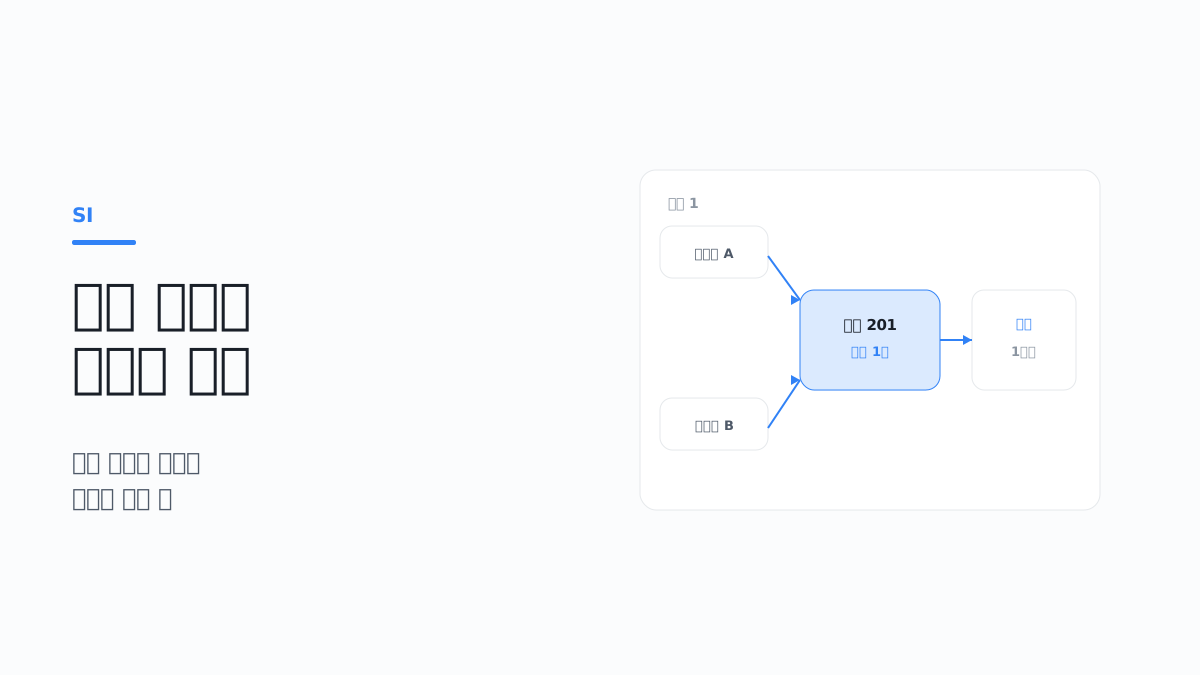
If you operate a booking system, sooner or later you will receive an inquiry like this.
"The same room has been booked by two people."
When you look into it, both bookings were processed normally. There are no error logs. Each request worked perfectly; they just arrived at almost the same moment.
This kind of problem is hard to reproduce in a test environment, because it does not happen when one person is clicking alone. It starts to appear intermittently once the system is in production and traffic builds up.
This article covers the decisions you have to make when designing a system in which many people request a limited resource at the same time, such as bookings, seats, or limited-quantity sales.
1. Where double bookings come from
Once you understand the cause precisely, the solution becomes clear as well.
Define the unit of inventory first
There is something to settle before dealing with concurrency: what counts as one unit of inventory. If this definition is vague, the rest of the design becomes unstable.
Taking accommodation as an example, there are two approaches.
| Approach | Inventory unit | Characteristics |
|---|---|---|
| Specific room | Individual rooms such as Room 201, Room 202 | The exact room is fixed. Low flexibility in assignment |
| Quantity per type | Remaining count out of 10 Standard Double rooms | Assignment can be done later. A separate assignment step is required |
The quantity-per-type approach is the common one. At booking time only "one Standard Double room" is secured, and the actual room number is assigned at check-in or the day before. This makes it possible to adjust assignments around cleaning and maintenance schedules.
With this approach, however, a second concurrency problem arises at the assignment step. You have to make sure the same room is not assigned to more than one booking.
Overlapping periods are also inventory conflicts
Bookings with a date range are more complex than a simple quantity deduction.
Booking A: March 10 to March 13
Booking B: March 12 to March 15   ← the 12th and 13th overlap
If you manage inventory by quantity, you have to split the inventory by date and calculate per date. A three-night booking occupies one unit of inventory on each of three dates.
You also have to decide up front how the end of a period is treated. In accommodation, a check-in on March 10 and check-out on March 13 occupies inventory only for the nights of the 10th, 11th and 12th, and another guest must be able to check in on the 13th. For that reason it is safer to store and compare periods as start date inclusive, end date exclusive. If this rule differs between the UI, the API and the database, you get problems such as "a check-in cannot be booked on a check-out day" or, conversely, one day being sold twice. PostgreSQL's daterange uses this form ([)) as its default notation (PostgreSQL documentation: Range Types).
There is one point to watch here. If inventory is unavailable on even one of the three nights, the booking itself is impossible. So the processing must either secure inventory for all the dates at once or fail entirely. It must not be left in a state where only part of it was secured.
There is a gap between the check and the deduction
Most booking processing follows this sequence.
① Read inventory — "Are there rooms left?"
② Decide         — "Yes. Proceed."
③ Deduct         — "Reduce inventory and create the booking."
The problem is that time exists between ① and ③. However short, it is not zero.
When two requests overlap in this window, this is what happens.
User A: ① read → 1 room left
User B: ① read → 1 room left   ← before A has deducted
User A: ③ deduct → booking created
User B: ③ deduct → booking created       ← created although none is left
Nothing is wrong with the code. Each request made a correct decision based on the value it read. The problem is that the value the decision was based on changed in the meantime.
With payment involved, the gap becomes much longer
When payment is included, this window grows from seconds to minutes.
Check inventory → enter booking details → choose payment method → card issuer authentication → approval → booking confirmed
What state should the inventory be in during the few minutes the user spends entering payment details? If you do not answer this question, one of two things happens.
- If you do not deduct: the user completes payment, only to find that someone else has already taken the room
- If you deduct: inventory is tied up by users who abandon payment
Neither situation can simply be left as is.
Bookings come in through several paths
If there were only your own website, things would at least be simple. In practice, several paths look at the same inventory at the same time.
- Your own website and app
- Several external booking platforms
- Phone bookings entered directly by staff
- On-site walk-ins
- Corporate group bookings
If the point at which each path reads inventory differs from the point at which it applies changes, they drift apart. External platforms in particular often do not query your system in real time but sell based on inventory information they fetched periodically.
2. When to deduct inventory
This decision sets the direction of the whole design.
There are three possible points
| Deduction point | Behaviour | Advantage | Disadvantage |
|---|---|---|---|
| At the start of booking | Deduct as soon as the user enters the screen or makes a selection | Reliable prevention of duplicates | Inventory is tied up by users who drop off |
| Just before payment | Deduct immediately before the payment request | Inventory is tied up only briefly | Handling is complex when payment fails midway |
| After payment completes | Deduct after receiving the approval response | Only actual sales are reflected | Inventory may be gone after the user has paid |
The third approach should be avoided. Telling a user "sold out" after they have paid is the worst experience, and the burden of processing refunds is large as well.
In practice, a temporary hold that combines the first and second approaches is widely used.
Use a temporary hold
When a user enters the booking flow, the relevant inventory is held for a set period and released automatically when the time is up.
These are the items to decide.
- Hold duration: long enough to complete payment, but not too long
- Extension: whether to allow an extension when the user does not finish in time
- Expiry handling: how to release holds whose time has passed
- Display: whether to show the user the remaining time
How expiry is handled matters in the design. There are two approaches.
- Clean up in a batch: periodically find expired holds and release them. Simple to implement, but inventory is released late by up to the batch interval
- Decide at read time: when inventory is read, expired holds are counted as not existing. Reflected immediately, but the read logic becomes more complex
The two are often used together: expired holds are excluded at read time, and a batch cleans up the actual data.
Store holds and confirmations as distinct states
Managing temporary holds and confirmed bookings under the same status value causes confusion. It is better to separate the states clearly.
Held (HELD)    → Confirmed (CONFIRMED) → Completed (COMPLETED)
    ↓                  ↓
  Expired (EXPIRED)  Cancelled (CANCELLED)
If you define for each state whether it occupies inventory, the calculation becomes clear. For example, held and confirmed occupy inventory, while expired and cancelled do not.
Prevent expiry and payment completion from crossing
The case most often missed with temporary holds is a payment approval arriving right after the hold has expired. If the expiry batch released the inventory and someone else took it, and then a late approval response confirms the booking, you have a duplicate. If the state transition itself is a conditional update, only one of the two succeeds.
-- Assumption: PostgreSQL. The reservation table has status and expires_at columns. Identifiers are example values
-- Confirm after payment approval: succeeds only while still held and not yet expired
UPDATE reservation
   SET status = 'CONFIRMED'
 WHERE id = 1001
   AND status = 'HELD'
   AND expires_at > now();

-- Expiry batch: expire only rows that are held. Inventory is restored in the same transaction
UPDATE reservation
   SET status = 'EXPIRED'
 WHERE status = 'HELD'
   AND expires_at <= now()
RETURNING id;
If the confirm statement updates 0 rows, the hold has already expired. In that case do not confirm the booking; move on to compensation that cancels the payment. If this path is not built, it comes back as inquiries saying "the payment went through but there is no booking". Taking into account the time users spend on the payment provider's authentication screen, setting the hold duration slightly longer than the time limit shown on screen reduces these cases.
3. How to block concurrent requests
Once the deduction point is decided, you have to make sure the deduction happens safely.
Blocking with database constraints is the most reliable
However carefully application code checks, gaps appear when it runs on several servers at once. It is safer to place the last line of defence in the database.
- Unique constraint: add a constraint so that only one confirmed booking can exist for "the same room, the same date". The second request is rejected at the database level
- Range overlap prevention: if you need to block bookings with overlapping periods, look at the range constraint features the database provides
- Conditional update: use an update statement that includes the condition, such as "decrease by 1 only when the remaining quantity is 1 or more". If 0 rows are updated, treat it as a failure
The conditional update approach is simple to implement and effective. Merging the read and the deduction into a single statement removes the gap between them.
Quantity inventory: a conditional update example
This is the case where quantity per type is managed as one row per date. A three-night booking deducts three rows in one statement and is confirmed only when the number of updated rows equals the number of nights.
-- Assumption: PostgreSQL, default isolation level (READ COMMITTED). Identifiers and dates are example values
CREATE TABLE room_type_inventory (
    room_type_id bigint  NOT NULL,
    stay_date    date    NOT NULL,
    total        integer NOT NULL,
    sold         integer NOT NULL DEFAULT 0,
    PRIMARY KEY (room_type_id, stay_date),
    CHECK (sold >= 0 AND sold <= total)
);

BEGIN;

UPDATE room_type_inventory
   SET sold = sold + 1
 WHERE room_type_id = 10
   AND stay_date >= DATE '2026-03-10'
   AND stay_date <  DATE '2026-03-13'
   AND sold < total;

-- If 3 rows were updated, INSERT the reservation row and COMMIT
-- If fewer than 3, inventory is missing on at least one day, so ROLLBACK
The reason this statement is safe lies in PostgreSQL's READ COMMITTED behaviour. If another transaction is already updating the same row, the statement waits and, after the other transaction commits, re-evaluates the WHERE condition against the updated value. If sold has reached total in the meantime, that row is excluded from the update (PostgreSQL documentation: Transaction Isolation).
Points to watch:
- Always check the number of updated rows. Moving to the next step without looking at the row count is in fact the most common implementation mistake. If you use an ORM, check that the API returns the number of updated rows
- The
CHECKconstraint is the last safeguard against other paths in the application (admin screens, batches) changing the quantity without a condition - When bookings with staggered date ranges arrive at the same time, the order in which rows are locked can differ and a deadlock can occur. See the
40P01entry under "Common errors and how to handle them" below
Specific rooms: blocking period overlap with a constraint
When periods are assigned to individual rooms, "the same room, overlapping period" cannot be expressed as a unique constraint. PostgreSQL expresses this directly with range types and exclusion constraints (EXCLUDE). Range types were added in PostgreSQL 9.2 (PostgreSQL 9.2 release notes), and using an equality comparison on an ordinary column such as the room number together with range overlap requires the btree_gist extension (PostgreSQL documentation: Range Types).
-- Assumption: PostgreSQL 9.2 or later, an account with permission to install extensions
CREATE EXTENSION IF NOT EXISTS btree_gist;

CREATE TABLE room_assignment (
    reservation_id bigint      NOT NULL,
    room_id        bigint      NOT NULL,
    stay           daterange   NOT NULL,
    status         text        NOT NULL,
    expires_at     timestamptz,
    CONSTRAINT room_assignment_no_overlap
        EXCLUDE USING gist (room_id WITH =, stay WITH &&)
        WHERE (status IN ('HELD', 'CONFIRMED'))
);

INSERT INTO room_assignment (reservation_id, room_id, stay, status)
VALUES (1001, 201, daterange('2026-03-10', '2026-03-13'), 'CONFIRMED');

-- The 12th to 15th overlaps the booking above, so it is rejected (SQLSTATE 23P01)
INSERT INTO room_assignment (reservation_id, room_id, stay, status)
VALUES (1002, 201, daterange('2026-03-12', '2026-03-15'), 'CONFIRMED');

-- A check-in on the 13th does not overlap, so it succeeds
INSERT INTO room_assignment (reservation_id, room_id, stay, status)
VALUES (1003, 201, daterange('2026-03-13', '2026-03-15'), 'CONFIRMED');
The WHERE clause applies the constraint to only some rows. Cancelled and expired assignments are left out of the overlap check, so the same period can be sold again (PostgreSQL documentation: CREATE TABLE).
Things to check when applying this:
- The expiry time cannot be put into the constraint condition. The condition expression of a constraint cannot use functions whose value changes on every execution, such as the current time, so "ignore expired holds" cannot be expressed by the constraint alone. Inventory is released only when the expiry batch changes the status to
EXPIRED. To avoid waiting for the batch interval, clean up the expired holds for that room when an exclusion constraint violation occurs and retry just once - Translate the violation error into "sold out".
23P01is not a system error but a normal business outcome meaning "already sold". Separate it so that it does not flow into a 500 response or an incident alert - In PostgreSQL 18 or later, the same constraint can be expressed by specifying
WITHOUT OVERLAPSonPRIMARY KEYandUNIQUE(PostgreSQL 18 release notes). However, this syntax has no partial condition like theWHEREin the example above, so if rows must be excluded by status, keep usingEXCLUDE
The approach is different in MySQL
MySQL has no constraint that directly blocks period overlap. So the implementation ends up as "query for overlapping bookings, then INSERT if there are none", and this approach fails differently depending on the isolation level.
- Under READ COMMITTED, gap locks are not taken for searches and index scans. Both transactions confirm "no overlapping booking" and each INSERT succeeds
- Under REPEATABLE READ (the InnoDB default),
SELECT ... FOR UPDATEtakes gap locks on the scanned range. But gap locks exist only to block inserts by other transactions and do not conflict with each other, so two transactions can hold a gap lock on the same interval at the same time (MySQL 8.4 Reference Manual: InnoDB Locking). When both sides then attempt an INSERT, they wait for each other and one is rolled back by a deadlock. Duplicates are prevented, but legitimate requests fail with a deadlock error
In MySQL the following two approaches are more predictable.
- Per-date rows and a unique key: store assignments as rows at the
(room_id, stay_date)level and add a unique key. For three nights, INSERT three rows in one transaction and roll back the whole thing if even one raises a duplicate key error - Parent row lock: lock the room row first with
SELECT ... FOR UPDATE, then query for overlap and INSERT. A lock that finds a single row through a unique index needs no gap lock, so only requests for the same room are processed in order
The second approach can be used as is in PostgreSQL too. People often get stuck trying to attach FOR UPDATE to an overlap query that uses an aggregate such as count(*), but PostgreSQL does not allow a locking clause on aggregate results (PostgreSQL documentation: SELECT). What you lock is not the aggregate result but the parent row that represents the resource.
-- Assumption: PostgreSQL, or MySQL 8.0 or later (InnoDB). room.id is the primary key
BEGIN;  -- START TRANSACTION in MySQL

SELECT id FROM room WHERE id = 201 FOR UPDATE;

-- From this point, other booking transactions for Room 201 wait at the statement above
-- Query for overlapping assignments and INSERT if there are none

COMMIT;
Make the lock acquisition the first statement of the transaction. At REPEATABLE READ or higher, if a query was already executed before the lock was obtained, queries after obtaining the lock can still see data as of the earlier point in time.
Choose a locking approach
| Approach | Behaviour | Suitable when |
|---|---|---|
| Pessimistic locking | Locks the row during processing and makes other requests wait | Contention is frequent and the cost of a conflict is high |
| Optimistic locking | Checks a version value and fails if it has changed | Contention is rare |
For systems where requests concentrate at a particular moment, such as bookings, pessimistic locking is often the right fit. Optimistic locking requires a retry on conflict, and when requests are piling up, the retries keep failing too.
There are points to watch when using pessimistic locking, however.
- Keep the lock scope narrow: lock only the rows you need. If the whole table is locked, overall throughput drops
- Keep the lock time short: do not call an external API while holding a lock. All other requests wait while the response is delayed
- Use a consistent order: when locking several resources, a different order leads to deadlock
An implementation that calls the payment API while holding a lock must be avoided. If the card issuer takes 5 seconds to respond, every booking request stops for those 5 seconds.
Decide whether to wait, fail immediately, or skip
SELECT ... FOR UPDATE by default waits until the other transaction finishes. PostgreSQL waits indefinitely unless a deadlock is detected (PostgreSQL documentation: Explicit Locking), so if the waiting behaviour is not specified, requests pile up and the connection pool is exhausted.
| Approach | Behaviour | Use in bookings |
|---|---|---|
| Wait + time limit | Waits only for a set time, then raises an error | Ordinary booking confirmation processing |
NOWAIT |
Raises an error immediately if locked | When showing "another user is processing this" right away |
SKIP LOCKED |
Excludes locked rows from the result | When taking any one of several candidates |
-- Assumption: PostgreSQL 9.5 or later. The room table has a room_type_id column
BEGIN;

-- Limit lock waiting to 3 seconds within this transaction only (3 seconds is an example value)
SET LOCAL lock_timeout = '3s';
SELECT id FROM room WHERE id = 201 FOR UPDATE;

COMMIT;

-- Automatic room assignment: skip rooms held by other transactions and lock one
-- (the lock is released when the transaction ends, so run this in the same transaction as the assignment INSERT)
SELECT id
  FROM room
 WHERE room_type_id = 10
 ORDER BY id
 LIMIT 1
   FOR UPDATE SKIP LOCKED;
The default for lock_timeout is 0 (no limit), and setting it globally in the server configuration file is not recommended because it affects all sessions (PostgreSQL documentation: Client Connection Defaults). Set it per transaction or per role.
SKIP LOCKED is available from PostgreSQL 9.5 (PostgreSQL 9.5 release notes) and MySQL 8.0.1 (MySQL 8.0.1 release notes). The documentation of both DBMSs explains that a result that skips locked rows is not consistent data, so it is not suitable for general-purpose work and is intended for avoiding contention on queue-like tables (MySQL 8.4 Reference Manual: Locking Reads). Applied to bookings, this means the following.
- Use it where "any one will do", such as automatic room assignment or picking a job to process expired holds
- Do not use it in a query that decides "is there inventory left". Rooms that are merely locked and not yet sold appear not to exist, so the system answers "sold out" while inventory is available
- In MySQL, statements with
NOWAITorSKIP LOCKEDare not safe for statement-based replication
Raising the isolation level, and retries
Rules that are hard to express with a conditional update or a constraint (for example, "a customer may have at most 2 bookings on the same day") can be enforced by raising the isolation level. What each level blocks differs, however.
| Isolation level (PostgreSQL) | Duplicates from read-then-INSERT | Behaviour on failure |
|---|---|---|
| READ COMMITTED (default) | Not prevented | Both succeed without an error |
| REPEATABLE READ | Not prevented. Detects only conflicts that update the same row | 40001 |
| SERIALIZABLE | Prevented | 40001, the whole transaction must be retried |
PostgreSQL's REPEATABLE READ is implemented as snapshot isolation, so two transactions that INSERT different rows are not seen as a conflict. The current SERIALIZABLE behaviour dates from 9.1, and SERIALIZABLE in earlier versions is the same as today's REPEATABLE READ (PostgreSQL documentation: Transaction Isolation).
With SERIALIZABLE, serialization failures become part of normal operation. PostgreSQL does not provide automatic retry, and it instructs you to re-run the whole transaction, including the logic that decides which SQL to execute with which values (PostgreSQL documentation: Serialization Failure Handling).
// Assumption: Node.js, node-postgres (pg). The retry count and delay are example values
import { Pool, type PoolClient } from 'pg';

const RETRYABLE_SQLSTATES = new Set(['40001', '40P01']);
const MAX_ATTEMPTS = 3;

function isRetryable(error: unknown): boolean {
  if (typeof error !== 'object' || error === null || !('code' in error)) {
    return false;
  }
  return typeof error.code === 'string' && RETRYABLE_SQLSTATES.has(error.code);
}

export async function runSerializable<T>(
  pool: Pool,
  work: (client: PoolClient) => Promise<T>,
): Promise<T> {
  for (let attempt = 1; ; attempt += 1) {
    const client = await pool.connect();
    try {
      await client.query('BEGIN ISOLATION LEVEL SERIALIZABLE');
      const result = await work(client);
      await client.query('COMMIT');
      return result;
    } catch (error) {
      await client.query('ROLLBACK');
      if (!isRetryable(error) || attempt >= MAX_ATTEMPTS) {
        throw error;
      }
      const delayMs = Math.random() * 50 * attempt;
      await new Promise((resolve) => setTimeout(resolve, delayMs));
    } finally {
      client.release();
    }
  }
}
Rules to follow when adding retries:
- Do not put irreversible external calls inside
work. If payment approval, notification sending or notices to external channels are in there, they run again on every retry - Serialization failures also occur at
COMMIT. Do not tell the user it succeeded before the commit response has been confirmed - Limit the number of attempts and randomize the delay. Under heavy contention, several retries can still fail, and retrying at the same interval makes the requests collide again
23505(unique constraint) and23P01(exclusion constraint) are not candidates for blanket retry. In bookings they are mostly a definitive result meaning "already sold"
With multiple servers, the lock has to live somewhere else
A lock that works on a single server becomes meaningless the moment you scale to several. Each server locks only within its own memory, so requests on other servers pass straight through.
Things to check:
- Are you using a lock based on application memory?
- Is the lock in a store shared by all servers?
- If the server that acquired the lock dies, is the lock released?
The last item is important. If a process terminates while holding a lock, the lock remains forever and nobody can use that resource. A lock must always have a validity period.
The simplest and safest method is to use a database transaction as the lock. No additional component is introduced, and the lock is released automatically when the transaction ends. Unless throughput is very high, this is generally sufficient.
For resources that have no suitable parent row to lock (for example, a date for which the inventory row has not been created yet), PostgreSQL advisory locks can be used. pg_advisory_xact_lock(key) is released automatically when the transaction ends (PostgreSQL documentation: System Administration Functions). The session-level function (pg_advisory_lock) is not released by a rollback and is held until the session ends or it is released explicitly, so in an environment that uses a connection pool it is safer to use the transaction-level function (PostgreSQL documentation: Explicit Locking). Also remember that advisory locks only block code that has agreed to use the same key.
Use Redis distributed locks as a supplementary measure
A configuration that places a Redis lock in front, to reduce the number of requests that reach the database at all, is also widely used. The single-instance method described in the official Redis documentation is as follows (Redis documentation: Distributed Locks with Redis).
# Acquire: set only if the key does not exist (NX), expire automatically after 30 seconds (PX). The value is a random value unique to each request
SET lock:room:201 <random value> NX PX 30000

# Release: delete only if the stored value equals the value I set
# Redis 8.4 or later
DELEX lock:room:201 IFEQ <random value>
-- Release script for Redis earlier than 8.4. KEYS[1] = lock key, ARGV[1] = random value
if redis.call("get", KEYS[1]) == ARGV[1] then
    return redis.call("del", KEYS[1])
else
    return 0
end
If you release with DEL without comparing the value, then when processing runs long and your lock has expired, you delete a lock that another request has acquired.
The limitations stated in that documentation and in an analysis written about it become real problems in booking design.
- Expiry does not mean "the work is finished". If the process is paused or the network is delayed, the lock expires and another request enters, yet the original request carries on believing it still holds the lock (How to do distributed locking)
- Replication is asynchronous. If the master dies before passing the lock key to a replica and the replica is promoted, two requests end up holding the same lock
- Expiry times are not based on a monotonic clock. If the server clock is adjusted, the lock can be released early
- The documentation itself recommends implementing fencing tokens when correctness is required. Each time a lock is obtained you receive an increasing number, and the store rejects writes carrying a number lower than one it has already processed
In a booking system this role is played by the conditional updates and constraints covered earlier. Even if the Redis lock is breached and both requests reach the database, one of them is rejected with 0 updated rows or a constraint violation. Therefore use the Redis lock only to reduce contention, and leave the responsibility for preventing duplicates with the database. If the structure relies on the Redis lock alone to prevent duplicates, overbooking occurs in one of the cases above.
Design retries and user messaging
What to show a user who lost out among concurrent requests is also part of the design.
- Distinguish the reason for failure clearly: sold out, or a temporary conflict
- A temporary conflict can be retried automatically
- If sold out, offer alternatives: another date, another room type, waitlist registration
If you show only "Processing failed", the user keeps pressing the same button. As a result, requests pile up even more.
4. Keeping inventory aligned across channels
Even if concurrency is solved inside your own system, the problem returns once external channels are attached.
Split the inventory or share it
| Approach | Behaviour | Characteristics |
|---|---|---|
| Allocation | Inventory is divided among channels in advance | No risk of overselling, but one channel has leftovers while another runs short |
| Shared | All channels share the total inventory | Efficient, but there is a risk of overselling when synchronization is delayed |
The shared approach is the common one, but it carries risk if external channels do not reflect inventory in real time. So in practice the two are mixed, for example by switching to allocation in peak season or when little inventory remains.
Design on the assumption of synchronization delay
External platforms generally obtain your inventory in one of two ways.
- You push it: send it to each channel whenever inventory changes. Close to real time, but the load is heavy when there are many channels
- The channel pulls it: the channel queries periodically. There is a delay of up to the polling interval
Either way, a delay window exists. If a booking arrives during it, an oversell can occur.
Ways to respond:
- When little inventory remains, expose it to external channels with a buffer held back
- Bookings that come in from a channel also go through a final check in your system
- Decide in advance the rules for handling an oversell when it occurs
Absorb the rules that differ by channel
The hard part of integrating external channels is not the technology but the differences in rules.
- Cancellation deadlines and fee criteria differ
- The point of booking confirmation differs: some confirm instantly, others require approval
- Rate structures and how discounts are applied differ
- The guest information items collected differ
- How change requests are handled differs
You have to decide how to represent these differences inside your system. Once you start adding per-channel branching, the code becomes complicated quickly.
In practical terms, a structure that defines a common model and places a per-channel translation layer is better for maintenance. Internally you work with a single booking model, and each channel's specification is translated at the integration point. When a channel is added, only the translation layer needs to be built. Timeouts, retransmission and duplicate-receipt handling at the integration point are covered separately in Where External System Integrations Fail — Principles of Interface Design.
Define the procedure for when an oversell occurs
If it cannot be prevented completely by technical means, handling it when it happens has to be part of the design.
- Who gets priority: order of receipt, channel priority, whether payment is complete
- How to notify: automatic notice, or a staff member makes contact
- What to offer: an alternative product, an upgrade, compensation criteria
- By when it must be handled
Without this procedure, staff on site respond case by case, and each customer is treated differently.
Intentional overselling is a separate matter
There are policies that sell more than the inventory on the assumption of a certain cancellation rate. This is not an incident but a business decision.
For the system to support it, the following are needed.
- An allowed oversell ratio configurable per product and period
- A procedure for when the excess actually materializes
- Data comparing the expected cancellation rate with the actual rate
Whether to include this feature must be agreed in advance. It often happens that a practice the operations side takes for granted is not reflected in the system.
5. Cancellations and changes are concurrency problems too
Undoing a booking needs as much care as creating one.
A cancellation can be processed twice
A user may press the cancel button twice in quick succession, or a cancellation notice from an external channel may arrive in duplicate. If inventory is restored twice, there is more inventory than actually exists.
- Check the booking status and do not process a booking that is already cancelled again
- Give cancellation requests a unique identifier to filter out duplicates
- Restore inventory within the same transaction as the status change
"Read the status and proceed if not yet cancelled" has the same gap as booking creation. Make the status change a conditional update and restore inventory only when a row was updated.
-- Assumption: PostgreSQL. Based on the tables in the examples of sections 2 and 3; identifiers and dates are example values
BEGIN;

UPDATE reservation
   SET status = 'CANCELLED'
 WHERE id = 1001
   AND status IN ('HELD', 'CONFIRMED');

-- Run the statement below only when 1 row was updated. If 0, the request was already processed, so return a success response as is
UPDATE room_type_inventory
   SET sold = sold - 1
 WHERE room_type_id = 10
   AND stay_date >= DATE '2026-03-10'
   AND stay_date <  DATE '2026-03-13';

COMMIT;
For a duplicate cancellation request it is better to return the same success response as for the first request, not an error. If an error is returned, some external channels keep resending the same notice.
A change is a combination of cancellation and creation
A request to change the date or the room releases the existing booking and takes a new one. A gap arises here as well.
- Secure the new inventory first, then release the existing one
- If securing the new inventory fails, keep the existing booking
- Wrap the two in a single transaction
If the order is reversed, you can end up with nothing left: the existing booking has been released but the new inventory could not be secured.
Paths that operators touch directly are also subject to concurrency
Functions in the admin screen that adjust inventory or enter bookings manually touch the same resources as ordinary bookings. Yet sometimes this path alone has looser validation.
- When a booking arrives while an administrator is editing the inventory quantity directly
- When an online booking for the same resource is confirmed while a phone booking is being entered
- When several administrators edit the same booking at the same time
The same constraints and locks must be applied to admin functions as well. A requirement such as "administrators should be able to force it through" sometimes comes up; even then, it is safer to make forced processing an explicit choice and to record that it was used.
When several administrators edit the same booking, the person who saves later overwrites the earlier change. This can be prevented by checking the version as of the start of editing and notifying the user if it has changed in the meantime.
Separate refund policy from inventory restoration
Inventory must be restored even at a point when a cancellation fee applies. The two are separate rules. If they are handled as one, you get odd behaviour such as "a cancellation that incurs a fee does not return inventory".
6. Frequently asked questions
Can testing catch this problem?
Ordinary functional tests do not reproduce it. Concurrent requests have to be created deliberately.
- Write tests that send several requests for the same resource at the same time
- Verify the situation where several requests converge on the last unit of inventory
- Confirm that exactly one succeeds
It is advisable to run this test at least once before deploying to production. If you first discover the problem in production, customers have already been affected.
Reproduction at the database level can be done with pgbench, which is included with PostgreSQL. Insert one row with 5 rooms of inventory into the inventory table from section 3 and run the deduction statement concurrently from 50 sessions.
-- hold.sql
UPDATE room_type_inventory
   SET sold = sold + 1
 WHERE room_type_id = 10
   AND stay_date = DATE '2026-03-10'
   AND sold < total;
# Assumption: a test-only database named booking_test. Do not run this against a production database
# -n: required for custom scenarios without the default pgbench tables, -c: number of concurrent sessions, -t: number of executions per session
pgbench -n -c 50 -j 4 -t 20 -f hold.sql booking_test

psql -d booking_test -c "SELECT total, sold FROM room_type_inventory WHERE room_type_id = 10 AND stay_date = DATE '2026-03-10';"
If sold stops at 5 even after 1,000 attempts, the behaviour is correct. If you remove the AND sold < total condition from the script and run it again, sessions abort with a CHECK constraint violation; on a table without even that constraint, sold goes past total. When testing a configuration with a raised isolation level, turn on retries for serialization failures and deadlocks with --max-tries and check the number of failures. The default for this option is 1 (no retry) (PostgreSQL documentation: pgbench).
At the application level, keep an integration test that actually calls the booking API concurrently. What you verify is not the response code but the data after everything has finished.
- When N requests are made at the same time for 1 unit of inventory, is there exactly 1 success response?
- Did the remaining requests receive a sold-out response rather than a 500?
- Does the
soldvalue for each date match the number of held and confirmed bookings? - Are there no valid assignments with overlapping periods for the same room?
The last item is checked with the query below. It is also used as is for periodic checks of production data and for finding existing duplicates before adding a constraint.
-- Assumption: PostgreSQL. A result of 0 rows is the correct state
SELECT a.room_id, a.reservation_id, b.reservation_id AS conflicting_reservation_id
  FROM room_assignment a
  JOIN room_assignment b
    ON a.room_id = b.room_id
   AND a.reservation_id < b.reservation_id
   AND a.stay && b.stay
 WHERE a.status IN ('HELD', 'CONFIRMED')
   AND b.status IN ('HELD', 'CONFIRMED');
When concurrency tests pass but duplicates occur in production, it is usually because the test environment differs from the real one.
- If the tests share one connection, or each test is wrapped in a single transaction and rolled back, requests run in sequence and no contention arises at all
- If the test database is a different product from production or has a different isolation level setting, locking behaves differently. Run the tests on the same DBMS and the same major version as production
- Sending requests with sequential
awaitis not concurrent. Start them all, then wait for them together
Common errors and how to handle them
Adding concurrency control produces errors that did not exist before. Most are not failures but a signal that the control worked, so decide the handling policy per error code.
| Error | Meaning | Handling |
|---|---|---|
PostgreSQL 23P01 exclusion_violation |
An assignment with an overlapping period already exists | Report as sold out. One retry after cleaning up expired holds is possible |
PostgreSQL 23505 unique_violation |
A row with the same key already exists | Treat as sold out or as a duplicate request |
PostgreSQL 23514 check_violation |
The quantity is out of range | Means there is a path that changes the quantity without a condition. The code needs fixing |
PostgreSQL 40001 serialization_failure |
Serialization failure | Retry the whole transaction |
PostgreSQL 40P01 deadlock_detected |
One side was aborted by a deadlock | Retry, but review the lock order if it recurs |
PostgreSQL 55P03 lock_not_available |
Lock acquisition failed due to NOWAIT or lock_timeout |
Show "processing" and retry at a short interval |
MySQL 1213 (SQLSTATE 40001) |
Deadlock. The whole transaction is rolled back | Retry the whole transaction |
| MySQL 1205 | Lock wait timeout exceeded | See the explanation below |
| MySQL 3572 | Lock acquisition failed due to NOWAIT |
Show "processing" and retry |
The error codes are based on the official documentation of PostgreSQL (PostgreSQL documentation: Error Codes) and MySQL (MySQL 8.4 Error Reference).
The cases where finding the cause takes time are noted separately.
When deadlocks (40P01, 1213) recur. There is a path where two transactions lock the same rows in different orders. A typical case is a booking change (releasing the existing dates, then securing the new dates) and a new booking touching the same date rows in opposite order. When locking several rows, sort them by a single criterion, such as ascending date, lock them first with SELECT ... ORDER BY ... FOR UPDATE, and then update. The PostgreSQL documentation also cites locking in a consistent order as the best defence, and advises retrying transactions aborted by a deadlock if this is hard to verify in advance (PostgreSQL documentation: Explicit Locking). In MySQL, SHOW ENGINE INNODB STATUS shows the details of the most recent deadlock, and enabling innodb_print_all_deadlocks writes every deadlock to the error log (MySQL 8.4 Reference Manual: How to Minimize and Handle Deadlocks).
When data is only half applied after MySQL 1205. When a lock wait times out, InnoDB under the default setting rolls back only the statement that was waiting and keeps the transaction (MySQL 8.4 Reference Manual: InnoDB Error Handling). If you catch the error and then commit as is, a state in which only 2 of 3 nights were deducted is saved. On receiving this error, the application must roll back explicitly.
When duplicates occur even though FOR UPDATE was used. A lock is released when the transaction ends. If the statement was run in autocommit mode, or the ORM sent the read and the update over different connections, the lock was released right after the read. Check in the query log that the locking read and the subsequent statements run in the same transaction on the same connection.
When bookings for one particular room keep stalling. A transaction that holds the lock has been left unfinished. The cause is often code that waits for an external API response or user input with the transaction open. In PostgreSQL, idle_in_transaction_session_timeout can terminate sessions that are idle with a transaction open after a set time (PostgreSQL documentation: Client Connection Defaults). This setting is a safety net; the fundamental fix is to take external calls out of the transaction.
Can't we precompute inventory and keep it in a cache?
Using a cache for read performance is common. However, the deduction decision must not be made from the cache.
- Cached values are fine for reads and list display. A slight delay is acceptable
- The actual deduction is done conditionally against the source data
- Tell the user the figure is "as of the time of the query" and re-check at the confirmation step
A remaining quantity shown in the list that changes to sold out the moment the user selects it is acceptable behaviour. The reverse, a booking going through when the item is sold out, is not acceptable.
How do we prepare for an opening time when traffic surges?
When bookings open at a specific time, requests arrive at tens of times the usual volume.
- Put a queue in place and process in order
- Before opening, block booking requests themselves so they do not pile up early
- Separate the inventory check API from the booking creation API to spread the load
- Guide users so that failed requests are not retried immediately
When a queue is introduced, showing users their position and the expected wait time is important. If they are left waiting with no information, they refresh repeatedly and the load grows further.
Can this be applied to a system that is already in operation?
Yes. The order is as follows.
- Add the database constraints first. If the existing data already contains duplicates, creating the constraint itself fails, so cleanup has to come first. Find the duplicates with the overlap query above and decide case by case with the operations staff which one to keep
- Change the deduction logic to a conditional update
- If there is no temporary hold, consider introducing one
- Review how external channels are synchronized
Applying step 1 alone prevents the worst case. Even if the application logic is breached, the database rejects it, so duplicate confirmed bookings are not stored.
7. Checklist before starting
Deduction design
- Is the point at which inventory is deducted clearly defined?
- Is a temporary hold used, and how long is the hold duration?
- Is the method for releasing expired holds defined?
- Is it defined for each booking state whether it occupies inventory?
- Is the rule that the end date of a period is excluded the same in the UI, the API and the database?
- Is there a payment cancellation path for when a payment approval arrives after the hold has expired?
Concurrency control
- Is there a unique constraint at the database level?
- Are the read and the deduction handled as a single operation?
- Is the lock scope limited to the rows that are needed?
- Are external APIs not called while a lock is held?
- Is there an upper limit on lock wait time?
- Is the number of updated rows checked before moving to the next step?
- Is the handling policy (sold-out message, retry) decided for constraint violations, serialization failures and deadlock errors respectively?
- Are there no external calls such as payment or notifications inside a section that is retried?
- If an external lock such as Redis is used, does the database still reject the request when that lock is breached?
- Has a concurrent request test been run on the same DBMS and version as production?
Multiple channels
- Has it been decided whether inventory is allocated or shared?
- Are the synchronization method and delay of each channel known?
- Is there an exposure policy for when little inventory remains?
- Is the procedure for handling an oversell defined?
- Has it been confirmed whether there is an intentional overselling policy?
Cancellations and changes
- Are duplicate cancellation requests filtered out?
- Is inventory restoration in the same transaction as the status change?
- On a change, is the new inventory secured first?
- Are refund policy and inventory restoration separated?
Closing
The essence of the double booking problem is that the value a decision is based on changes while the decision is being made. Once you understand this structure, the direction of the solution is clear as well: remove the gap between the read and the deduction, keep other requests out during that gap, or have the database reject the request at the end.
There are also areas that cannot be prevented completely. Synchronization delay with external channels is the typical example. In that case, the realistic course is to include in the design the procedure for handling it when it occurs.
We have built systems that sell limited resources through several paths, including accommodation booking and operations systems. If you are considering building a booking system or reviewing concurrency problems in an existing one, feel free to get in touch.
Related articles
- Where External System Integrations Fail — Principles of Interface Design
- Legacy Data Migration — What to Check Before You Move Anything
- How Scope Grows in SI Projects and How to Design Change Management to Contain It
References
- PostgreSQL documentation: Range Types
- PostgreSQL documentation: CREATE TABLE
- PostgreSQL documentation: SELECT, The Locking Clause
- PostgreSQL documentation: Transaction Isolation
- PostgreSQL documentation: Explicit Locking
- PostgreSQL documentation: Serialization Failure Handling
- PostgreSQL documentation: Error Codes
- PostgreSQL documentation: Client Connection Defaults
- PostgreSQL documentation: System Administration Functions
- PostgreSQL documentation: pgbench
- PostgreSQL 9.2 release notes
- PostgreSQL 9.5 release notes
- PostgreSQL 18 release notes
- MySQL 8.4 Reference Manual: InnoDB Locking
- MySQL 8.4 Reference Manual: Locking Reads
- MySQL 8.4 Reference Manual: How to Minimize and Handle Deadlocks
- MySQL 8.4 Reference Manual: InnoDB Error Handling
- MySQL 8.4 Error Reference
- MySQL 8.0.1 release notes
- Redis documentation: Distributed Locks with Redis
- Martin Kleppmann, How to do distributed locking