Zero Salon KIOSK
Case Summary
Client
Lightors Co., Ltd.
Industry
Environment and ESG, unattended recycling equipment
Period
April 2025 - April 2026 (development + one year of maintenance)
Challenge
The client needed a machine that takes cups, shreds them and accrues points at sites where no one is stationed
Key features
QR and phone number login, direct shredder control, real-time state synchronization, point accrual, remote updates
Outcome
More than 200 units delivered to the field, software updated remotely without visits
1. About the Client
- Name: Lightors Co., Ltd.
- Industry: Plastic cup recycling
- Equipment operation: Unattended collection machines installed in cafes, shopping arcades, public facilities and similar locations
- Challenge: Software that anyone can use without on-site staff, and that needs no per-device management at a scale of 200 units
We were responsible for developing the kiosk software and for one year of maintenance, and we also developed the user app for the same business.
2. Background
An app alone does not make recycling happen. There has to be a machine on site that actually takes the cups, shreds them and counts how many were processed. And that machine has to run by itself all day in a place where no one is stationed.
What an unattended machine requires
Software for an unattended machine has different requirements from an ordinary app. First, there is no one to explain how to use it. A user has to be able to get to the end by looking at the screen alone. Second, it is tied to hardware. While the screen shows "processing", the device actually has to be running, and when the device stops, the screen has to know. Third, when something goes wrong, no one can get there right away. That is even more true when 200 units are spread across the country.
The machine that does the work on site
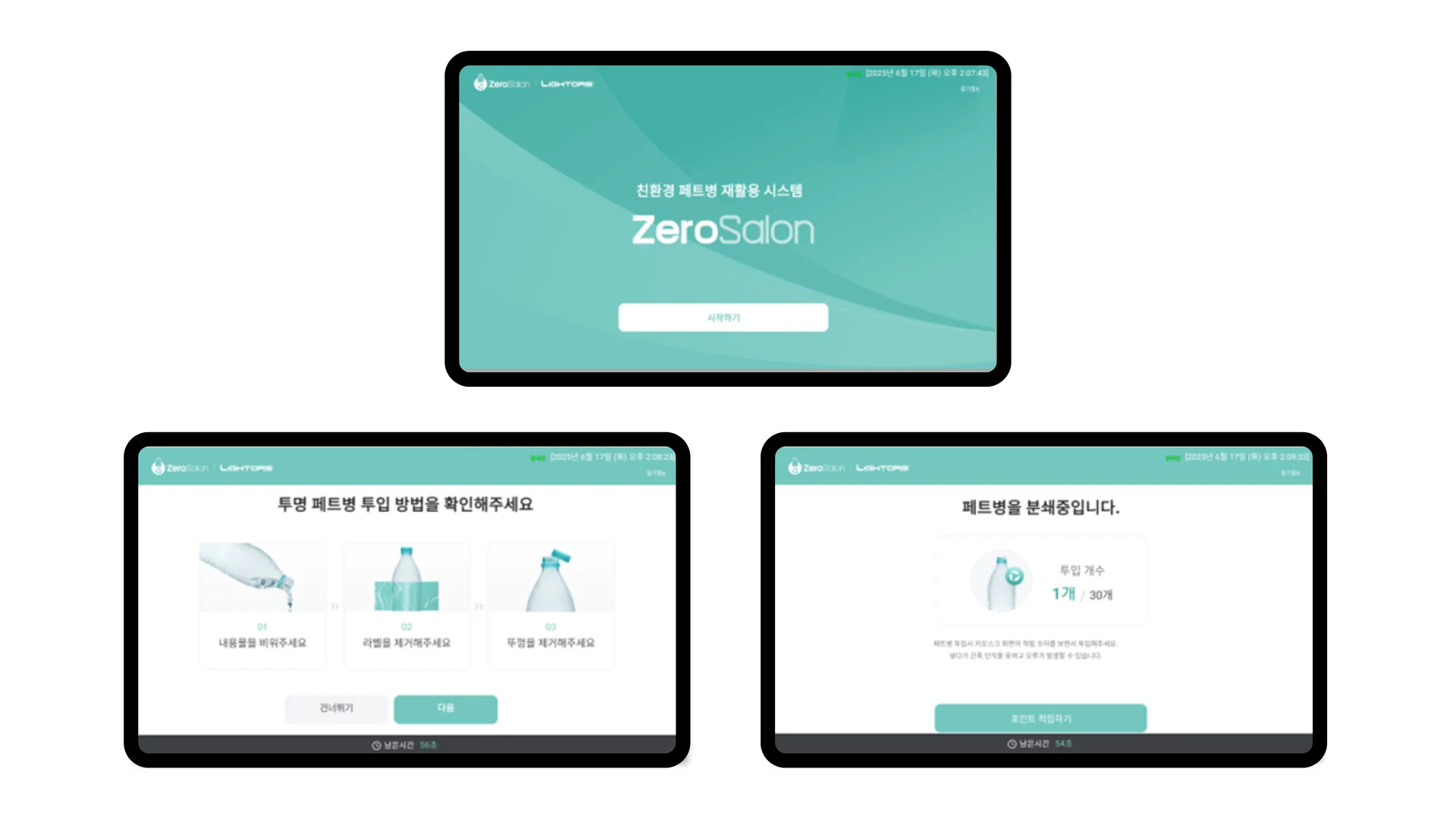
Zero Salon KIOSK is the software for the machine that carries out Lightors Co., Ltd.'s plastic cup recycling business on site. The whole process, in which the user logs in, inserts cups and receives points according to the shredding result, is handled on the kiosk screen. We carried out development and one year of maintenance from April 2025 to April 2026, and delivered more than 200 units to the field.
The quantity of 200 units also affected the design. With ten machines, you can visit and fix one when a problem occurs. With 200, the visit itself becomes a cost, and once machines start running in slightly different states, it becomes impossible to identify causes. So from the start of development we set two conditions: "every machine runs the same software" and "updates happen without a visit".
We also developed the user app for the same business. Because the app and the kiosk have to share the same accounts and points, handling both sides together was an advantage in designing the integration.
In one line The most important thing for an unattended machine is not to lose track of "what state it is in right now".
3. Key Features
We built a dedicated Android kiosk application. Everything from screen interaction to shredder control and point accrual is handled inside a single application.
Screen flow
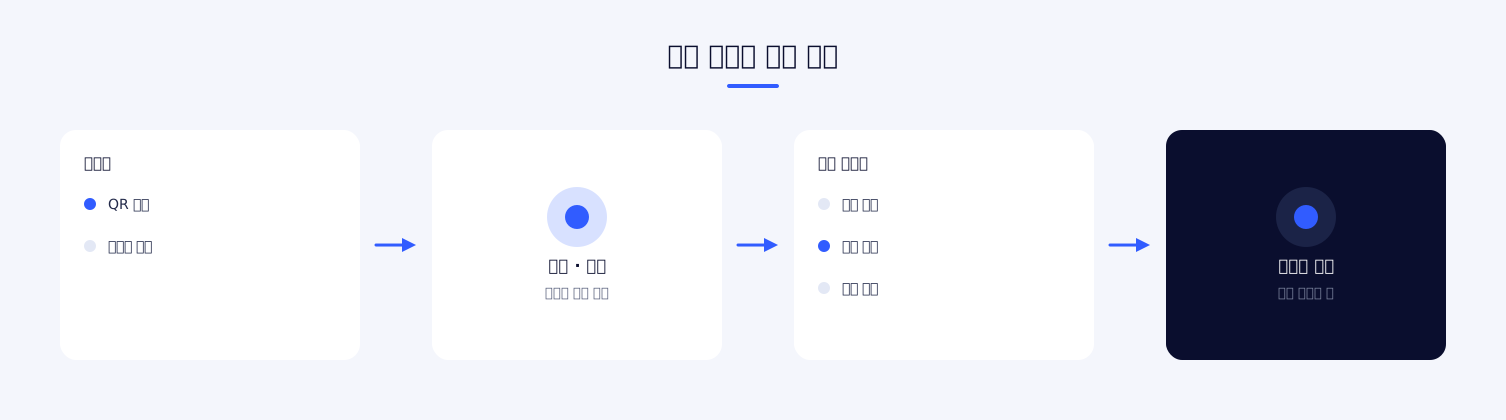
We kept the flow simple. It starts at the idle screen, the user chooses a login method, insertion and shredding proceed once authentication is complete, and at the end the accrual result is shown before returning to the idle screen. Each step is a separate screen, and each screen holds only one choice.
In an unattended setting, the more options there are, the more people stop and get stuck. Instead of packing the necessary information into one screen, we split it into steps and displayed, in large type, only what needs to be done at each step. We also provided a separate guide screen for first-time users, so that someone who does not know how to use the machine can check before starting the flow.
Hardware control
The software communicates directly with the shredder. It sends commands and receives status over serial communication, and aligns the signals from insertion detection through shredding start and completion with the screen state. Because it does not go through an intermediate server, device control itself is not affected even when the network is unstable.
Signals from the device do not arrive in a fixed order, and sometimes arrive in duplicate. We handle incoming signals as an event flow and reconcile the state there, which reduced situations where the screen runs ahead of or falls behind the device.
Screen composition
There are around eleven screens: idle, login method selection, number entry, QR authentication, user confirmation, guide steps 1 and 2, shredding progress, detailed information, point confirmation, and the shared top and bottom areas. The shared areas hold the current step, help and a return-to-start control, so the user can leave the flow from any screen.
Rather than increasing the number of screens, we chose to reduce the amount of information on each screen. A person standing in front of a kiosk scans the screen rather than reads it. If there are two or more things to decide on one screen, they stop right there.
Account integration
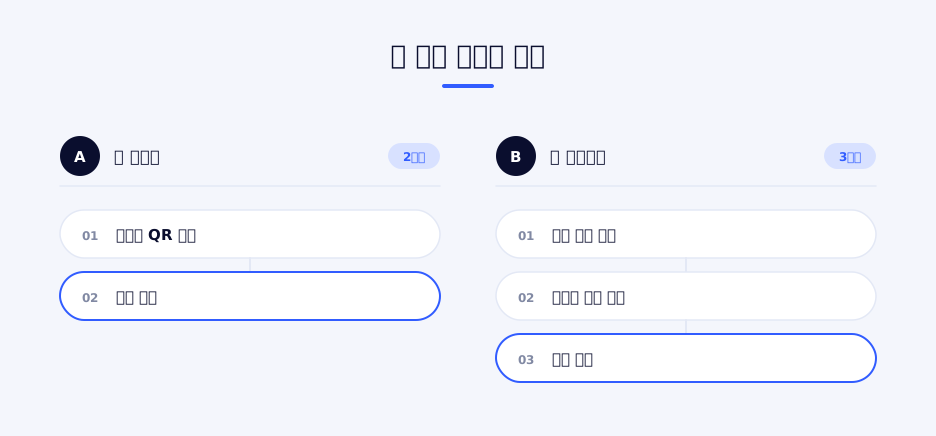
Login supports two methods: QR and mobile phone number. App users authenticate by displaying a QR code in the app, and users without the app take part by entering their number. Either way the session is linked to the same account, so if the user installs the app later, the points already earned are shown as they are.
The accrual result appears with the same value on both the kiosk screen and the app. If the number received on site differs from the number shown in the app, users do not trust the service.
Per-device settings
We deploy the same build to 200 units, and separated the values that differ per device into configuration. The app looks up the device's unique information to communicate with the server, and environment-specific settings are injected at build time. Creating a different version for each device would make management impossible, so the premise was to keep the differences in configuration, not in code.
Server communication
Three things are exchanged with the server: authentication, device information and points. We split the API modules along these units and kept the common configuration in one place. Unlike a web application, a kiosk cannot be refreshed by the user, so the handling of communication failures has to be decided for each screen. We distinguished, step by step, whether to retry, go back to the previous step, or show a notice and send the user back to the start.
How we proceeded
We ordered development so that device integration was verified first. However well the screens are built, the service does not work if communication with the shredder is not stable. We first secured the part that sends commands and receives status over serial communication, and then built the screen flow on top of it.
After that came the work of reflecting field conditions. Lighting and network conditions differ from one installation site to another, and many problems only showed up when checked on actual machines. We continued these adjustments throughout the one-year maintenance period.
Field installation conditions
Installation sites vary: cafes, shopping arcades, public facilities and so on. Some are brightly lit and some are dark, and connection quality differs as well. The same software has to work wherever it is installed, so we built the app to absorb the factors that can vary with the environment. Providing an alternative input path in case recognition fails, and keeping the process from stopping when the connection drops, are the results of that.
Remote updates
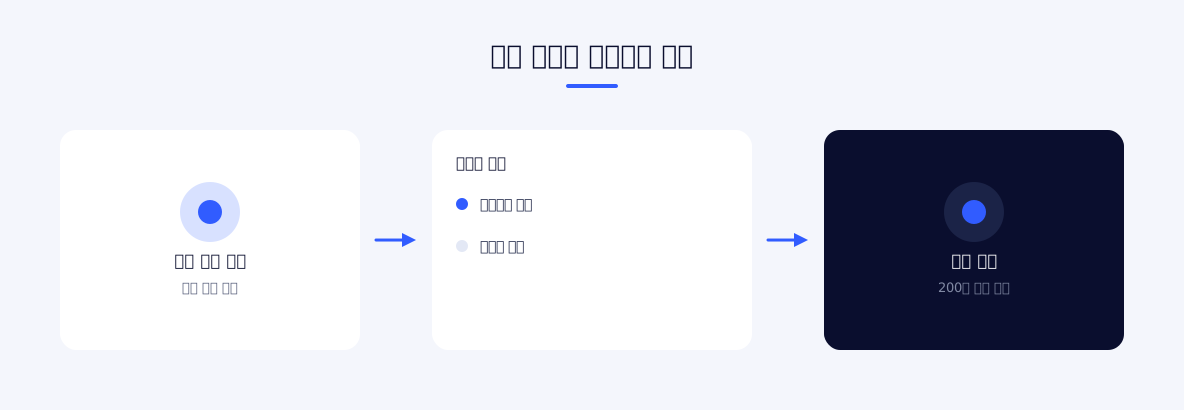
We applied OTA updates so that the software on machines installed in the field can be updated remotely. At a scale of 200 units, updating by individual visits is not realistic. Copy changes and screen adjustments are applied without a visit.
Main features
QR login
When an app user displays a QR code in the app, the kiosk recognizes it and logs them in. It requires no separate input, so it is the fastest path and the default method for app users. If recognition fails, the kiosk guides the user to switch to number entry.
Mobile phone number login
For users without the app, we provide number entry. A numeric keypad is shown on the kiosk screen for input. If app installation were mandatory, people seeing the machine for the first time on site would simply walk past, so we did not narrow the entry path down to one.
Direct shredder control
The shredder is controlled over serial communication. Insertion detection, shredding start and completion signals are exchanged in real time, and the screen reflects the device state as it is. The progress indicator the user sees has to match the actual device operation so that no one has to ask "is it finished or not".
Real-time state synchronization
Device state and processing results are managed as an event stream, and the connection to the server uses WebSocket. This structure is meant to reduce situations where the screen freezes or the state falls out of sync during processing. Device control continues even if the server connection is lost, and the result is sent again once the connection is restored.
Inserted quantity display
While shredding is in progress, the processed quantity is shown on the screen. Many users insert several cups, so if they cannot see in real time how many have been processed, they do not notice when the machine stops partway. The app counts the completion signals from the device and reflects them on the screen.
Point accrual and lookup
Points are accrued according to the shredding result, and the remaining points can be checked on the kiosk screen. Because the kiosk uses the same account as the app, the accrual history looks identical on both.
Step-by-step usage guide
For first-time users, the usage instructions are presented as step-by-step screens. Assuming an environment with no on-site staff, we designed it to explain through screen composition rather than text.
Detailed information screen
We provided a separate screen for checking processing results and related guidance. It can be reached directly from the idle screen, so people can see what the service is even if they are not returning a cup. In many cases the first-time user is someone who stopped while walking past the machine, so we also left a path to the explanation open outside the flow.
Kiosk mode lock
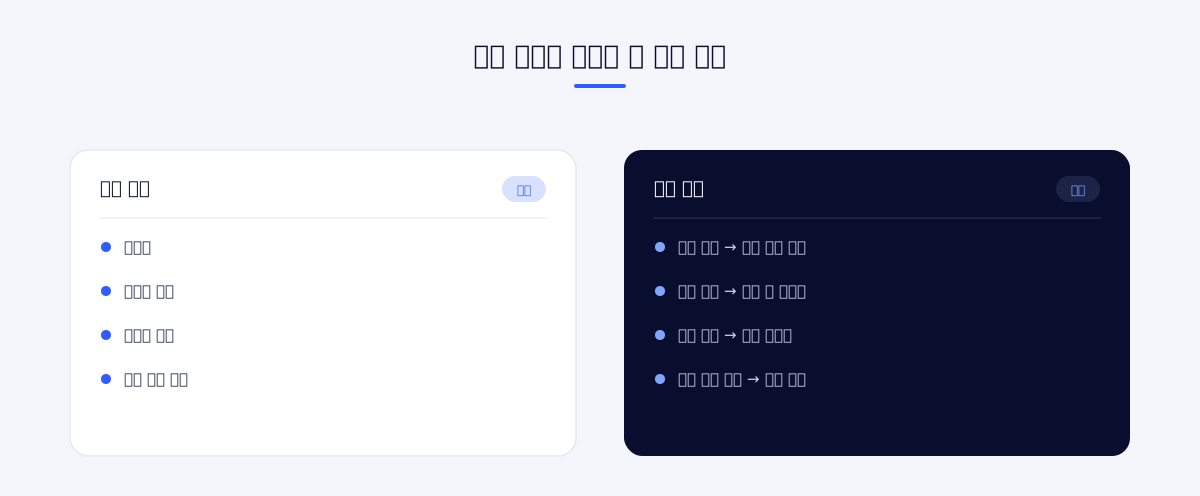
We hid the system navigation bar so that users cannot exit to other functions of the device. If a path out of the application is left open on an unattended machine, the machine ends up abandoned in the wrong state.
Device identification
The app looks up the device's unique information and uses it when communicating with the server. Operational status can only be aggregated when it is clear which processing happened on which machine, and that is also how problems occurring only on a specific machine can be found.
Remote update
The software on field machines is updated through OTA updates. At a scale of 200 units, fixes can be applied without individual visits, which shortens the improvement cycle during operation.
User confirmation screen
We placed a screen for confirming user information right after login. Cases where a number was entered incorrectly or someone else's QR code was recognized are filtered out here. Finding out after accrual that it was the wrong account makes it cumbersome to reverse, so we placed the confirmation step up front.
Return to start
The user can return to the start from any screen. The most common problem on an unattended machine is the previous user walking away while it is still on an intermediate screen. If there is no interaction for a set period, the kiosk automatically returns to the idle screen, so the next user always starts from the same point.
Core design Assuming a scale of 200 units, we first fixed two conditions: "every machine runs the same software" and "updates happen without a visit".
4. Outcome
We delivered more than 200 units to the field. Designing the system so that the way it is operated does not change as the number of machines grows is what made this scale manageable.
By handling hardware control and the user screens in a single application, we reduced mismatches between the shredding state and what the screen shows. On an unattended machine this mismatch leads straight to inquiries and on-site dispatches, so the structural choice directly affected operating costs.
Thanks to OTA updates, the software is updated without individual visits even at a scale of 200 units. The cycle for applying improvement requests raised during operation became shorter, and we responded through this route during the one year of maintenance.
Because the kiosk shares accounts and points with the app, users see the same accrual history whether they check in the app or on the kiosk. By providing both login paths, QR and number entry, we made it possible for users who do not use the app to take part as well.
The decision to split the login path in two also affected the result. Had app installation been a prerequisite, people seeing the machine for the first time on site could not have taken part. Keeping the number entry path while offering app users the faster QR path accommodated both groups.
Because the device state and the screen state are managed in one application, the screen shows at which step things stopped even when a problem occurs during processing. The fact that on-site staff can describe the situation without opening the machine was especially helpful for remote support.
With one team developing both the app and the kiosk for the same business, less time was spent agreeing on integration specifications, and field problems could be checked from both sides together. We handled development and maintenance continuously from April 2025 to April 2026.
5. Technology
Kiosk App
An Android-only application based on React Native. It is written in TypeScript, and screen transitions are built with React Navigation. Since the environment uses touch input only, input elements are laid out large, and the aspect ratio is fixed to suit the portrait-oriented device.
Hardware integration
The shredder is controlled over serial port communication. We also applied device unique information lookup and system navigation bar control (kiosk mode lock). The hardware integration is separated from the screen logic, so that the screen code does not have to be touched even if the device protocol changes.
Real-time processing
An RxJS-based event stream connects device signals to the screen state. The connection to the server uses WebSocket to exchange state. Situations where signals arrive in duplicate or out of order are reconciled at the stream stage.
Authentication / screens
QR code generation and phone number entry are supported. The screens are split by login method, but the flow after authentication is merged into one. Finishing the branching early makes the code after it simpler.
Portrait screen support
Kiosk devices use a portrait screen. The aspect ratio differs from a typical mobile layout, so we reset button sizes and spacing based on the device. Since the interaction is a standing person reaching out to press, we made the touch areas large and placed fixed areas at the top and bottom of the screen.
Configuration and deployment
Environment-specific settings are injected into the build, and field machines are updated through OTA updates. Keeping the same build running on every machine was the premise of operation.
Criteria for technology choices
The most important thing in unattended machine software is not to lose track of "what state it is in right now". This is why we put hardware control and the screens inside the same application. Splitting the two creates a segment between them where state is passed back and forth, and when that segment breaks, the screen and the device tell different stories.
Lowering the dependence on the server follows from the same judgment. The network can be unstable depending on field conditions, so device control and screen progress have to be able to run to the end without the server. We limited the server's role to storing results and verifying accounts.
Code organization
We separated screens, APIs, common configuration and hooks. Logic unrelated to the screens, such as device control and server communication, is kept outside the screen components, and the screens focus on receiving state and displaying it. A kiosk does not have many screens, but each screen is bound to the device state, so without this separation the device handling code would be duplicated on every screen.
Reusable elements such as the QR display were extracted into shared components. Because the app and the kiosk both use the same authentication method, keeping the display specification aligned reduces integration errors.
Problems addressed during implementation
Irregular device signals. Signals arriving over serial communication are sometimes duplicated or out of order. Connecting the signals directly to the screen state makes the progress indicator jump. We split this so that signals are reconciled at the event stream stage and then reflected on the screen.
Unstable network. Connection quality differs greatly by installation site. We handled this by continuing processing while the connection is down and sending the result again when it recovers.
Usage guidance. With no on-site staff, the screen is the manual. We held to the principle of one choice per screen, with what to do next displayed in large type, all the way through.
Per-device management. At a scale of 200 units, management becomes impossible the moment a different build is kept for each machine. We separated the differences into configuration and kept a single build.
Field accessibility. Even when a problem occurs, an immediate visit is not possible. We secured a remote update path and recorded device identification information along with it, so that we can check what happened on which machine.
Returning to the idle state. If a user walks away partway, the machine stays stuck on that screen. To prevent the next person from accruing points on someone else's account, the kiosk automatically returns to the idle screen when there is no interaction for a set period.
The role of the idle screen. For most of the day the machine is showing the idle screen. This screen effectively serves as outdoor advertising, so we designed it so that what the service is and how to take part can be read even from a distance.
Value mismatch with the app. If the points received at the kiosk differ from the points shown in the app, users trust neither. We unified accrual processing on the server as the reference, and the kiosk screen shows the value confirmed by the server.
6. Project Information
| Item | Details |
|---|---|
| Project name | Zero Salon KIOSK Development |
| Scope of work | Kiosk development and one year of maintenance (more than 200 units delivered) |
| Technologies | React Native, TypeScript, serial communication, RxJS, WebSocket, OTA updates |
Planning a similar project?
Share your requirements and timeline, and we will outline a suitable scope and setup.
Comments 0
Be the first to leave a comment.