Watermark DRM Solution
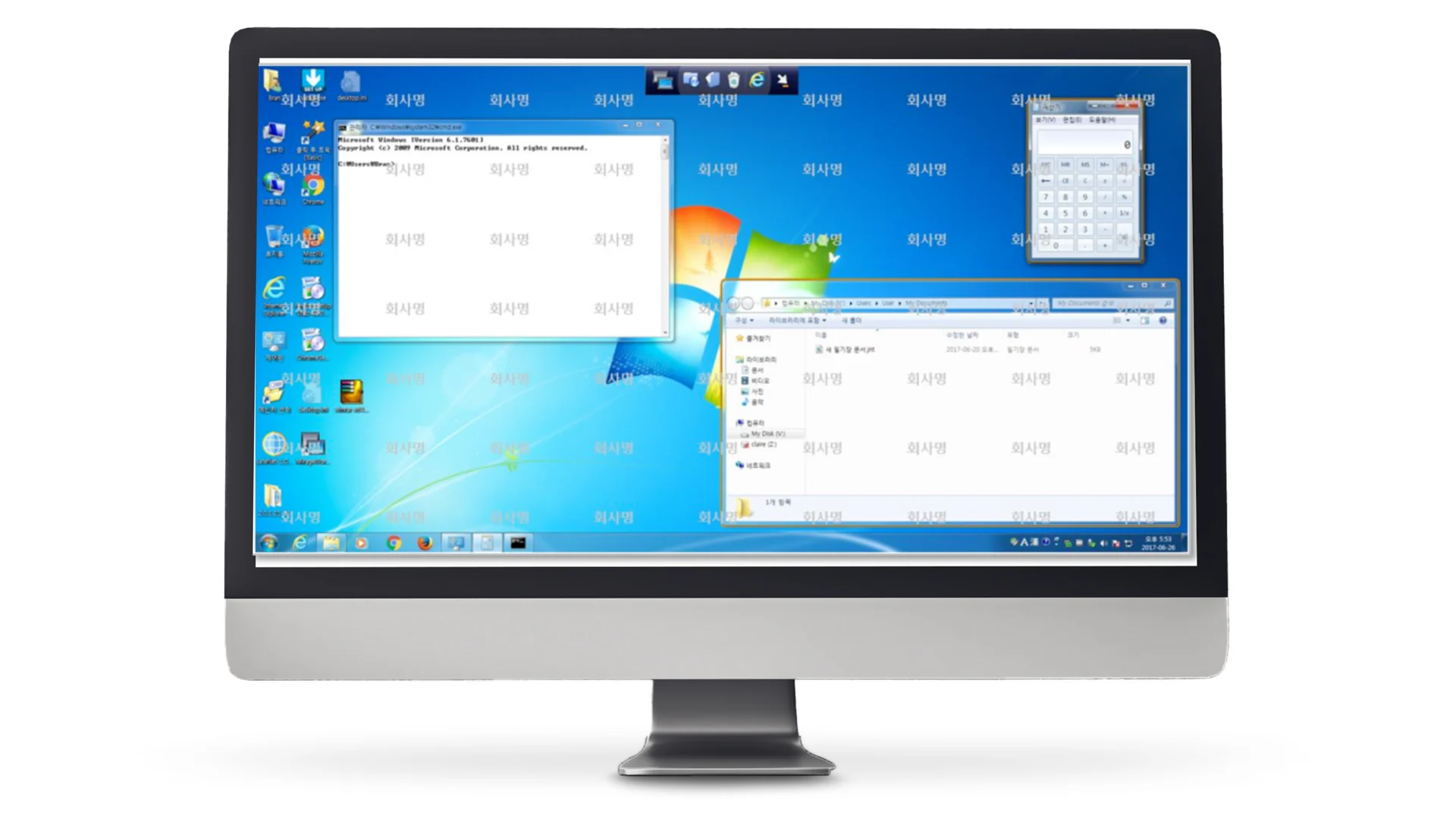
Case Summary
Client
Samsung affiliate
Industry
Document rights management (DRM), printout watermarking
Scale
3,000 employees in cumulative use
Challenge
Digital documents were under control, but printed output was out of scope, so there was no way to confirm the source in the event of a leak
Key features
Granular document permissions, printout watermark insertion, print control, policy application by organizational unit, view and print history logging
Outcome
Deployed in an environment of a cumulative 3,000 users, scope of control extended to printouts, and a history system that enables after-the-fact verification
1. About the Client
- Industry: Electronics manufacturing (Samsung affiliate)
- Target users: Employees who handle internal documents
- Scale of deployment: 3,000 employees in cumulative use
- Challenge: Prevent internal documents from leaking outside, and bring printouts into the scope of control
We built a security solution that combines document rights management (DRM) with printout watermarking.
2. Background
Corporate document security mostly takes place in the digital domain. Access rights are placed on files, external transfer is blocked, and outgoing email is monitored. But this control has one gap: documents printed on paper.
The moment a document is printed, digital control ends. A printout can be copied, photographed and carried out. Even if a record remains of which file was printed, there is no way to know where that paper went.
Leaks are usually made by people with permission
If you think of security incidents only as external intrusion, your defenses lean to one side. In practice, many document leaks are made by insiders who have access rights. Because they have permission, opening the file is itself a normal action, and so is printing it.
In this situation, blocking access does not work, because access that is needed for work cannot be blocked. What is needed is not blocking but a record of how far the document went.
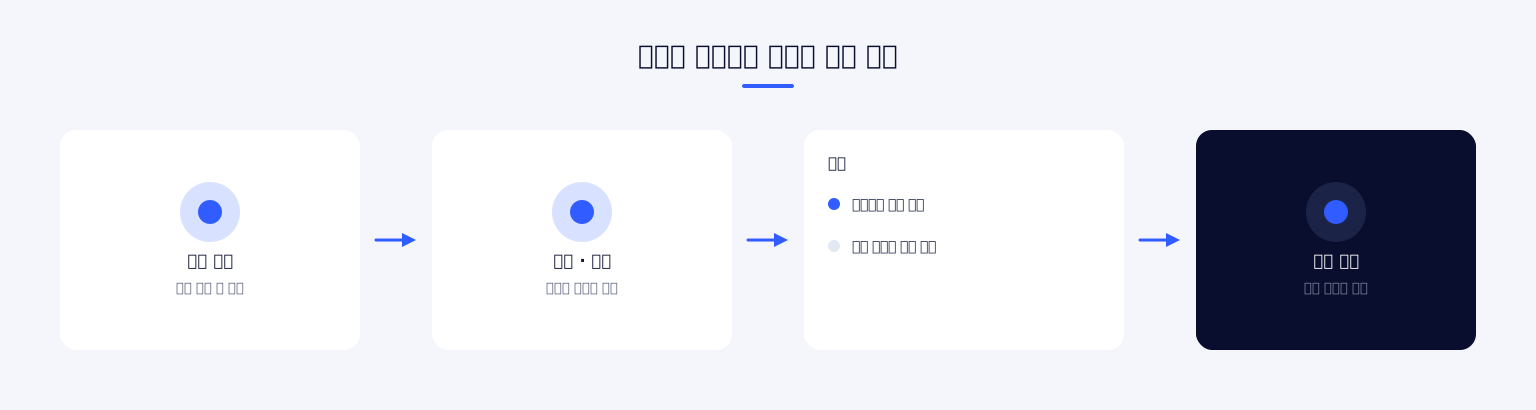
The fact that it can be traced becomes a deterrent
Things change when a printout shows who printed it and when. If that paper is found outside, its source can be identified, and the very fact that it can be identified reduces leak attempts.
Technically, perfect blocking is impossible. You cannot go as far as stopping someone from photographing a screen. But if the traces left behind make tracking possible, the cost of leaking goes up. The goal of this project was to raise that cost.
In one line If a path cannot be blocked, you should at least be able to know where the document left from.
What a scale of 3,000 people means
With 3,000 users, policies cannot be managed individually. They have to be applied in bulk by organizational unit, and permissions have to follow automatically when personnel move. If the structure requires someone to handle each case by hand, operations fall behind within days.
A larger scale also means that many more exceptions. Documents that must be printed for work, materials that must be shared with external partners, and matters more urgent than the rules come up every day. Once these requests start being handled outside the system, the security policy exists only on paper.
The condition for large-scale deployment is not eliminating exceptions but making exceptions be handled inside the system. They go through an approval procedure, but that procedure has to finish quickly, and the approval history has to remain on record.
3. Key Features
We tied document rights management and printout watermarking into a single system. Policy applies throughout the entire process of opening, editing and printing a document.
Document rights management
When a document is designated as protected, view, edit, print and export permissions are applied by user and by organizational unit. Because the permissions are attached to the document itself, the policy follows the file even if it is copied or moved to another location.
Splitting permissions by function is what matters. Just as with a document that can be read but not printed, or edited but not saved externally, you can open up only as much as the work requires. With an approach that blocks everything or opens everything, business users end up working around the system.
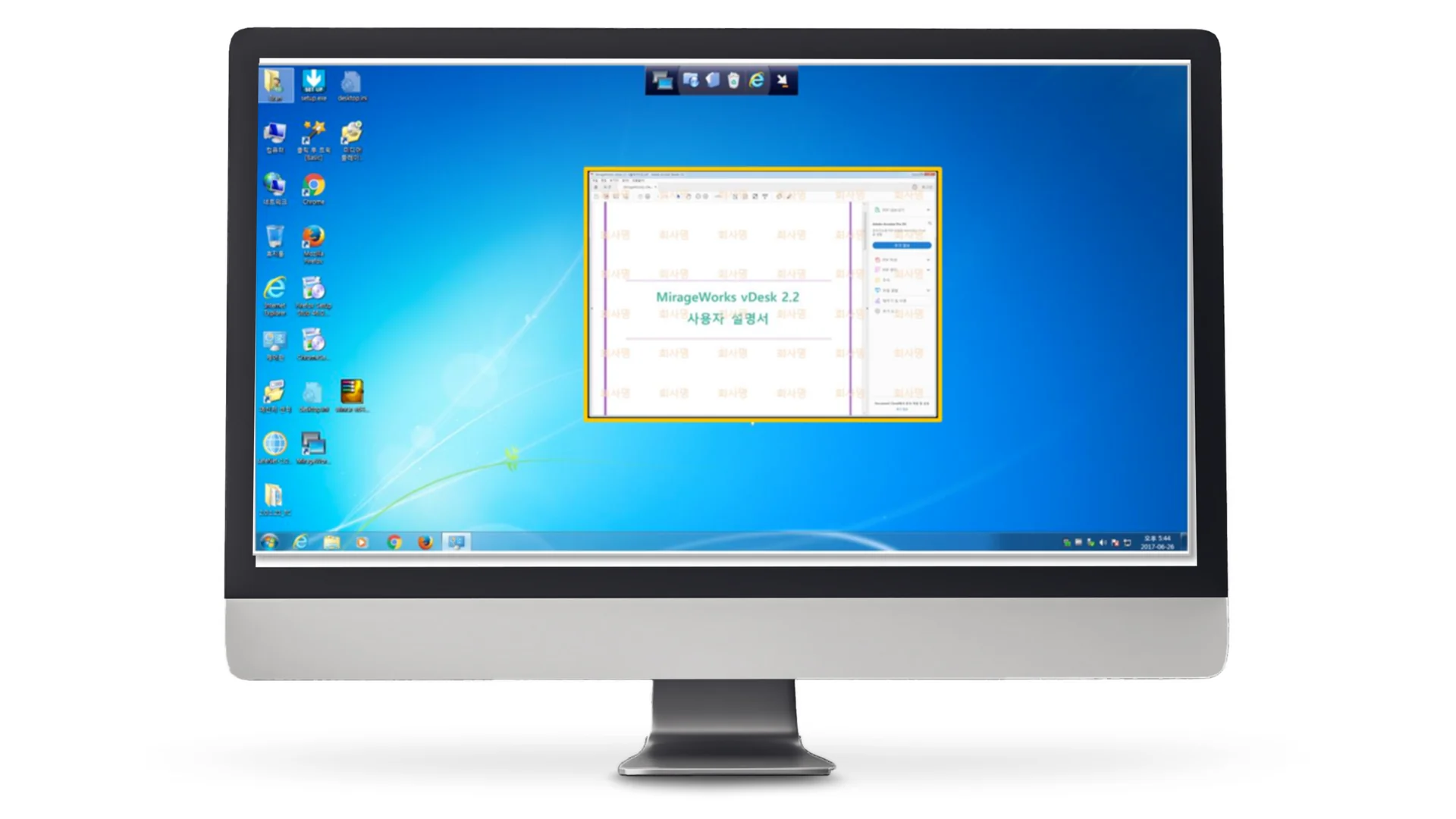
Printout watermark
A watermark is automatically inserted into the printout at print time. Information such as who printed it and when is shown on the face of the document, so the source can be confirmed when a leaked paper is found.
A watermark has to be hard to remove without getting in the way of reading. Too dark and it interferes with work; too faint and it disappears in the copying process. We adjusted the display density and placement to strike this balance.
Policy management
Security policies differ by organization and by document type. We let administrators configure them, and a change in settings is reflected across everything it applies to. If policy is fixed in code, the system has to be modified every time there is a reorganization or a rule change.
History management
Document viewing and printing are logged. Who opened and printed which document and when is recorded, which provides a basis for checking when an incident occurs. The records are themselves a security asset, so they are protected separately.
Main features
Applying document protection
A permission policy is applied to documents designated for protection. A protected document opens normally only in an authorized environment.
Granular permissions
View, edit, print and export are granted as separate permissions. They can be set differently by user and by organization.
Printout watermark insertion
At print time, the person printing and the time are shown on the document. This leaves the minimum clue needed to trace a leak path.
Print control
You can choose to restrict printing itself, or to allow it while forcing a watermark. This is applied differently according to the document classification.
Bulk policy application
When an administrator changes a policy, it is reflected in the target documents and users. It can be applied in bulk by organizational unit.
View history logging
The user who opened a document and the time are recorded. If an abnormally high number of views occurs, it can be checked.
Print history logging
Print requests and their outcomes are recorded. You can check which document was printed and in how many copies.
Admin console
Policy settings, user permission management and history lookup are handled on a single screen. Because it is a tool used by security staff, it focuses on lookup and audit.
Exception handling
There is an exception approval procedure for cases that are truly necessary for work. Without exceptions, business users handle the work outside the system, and that becomes the greater risk.
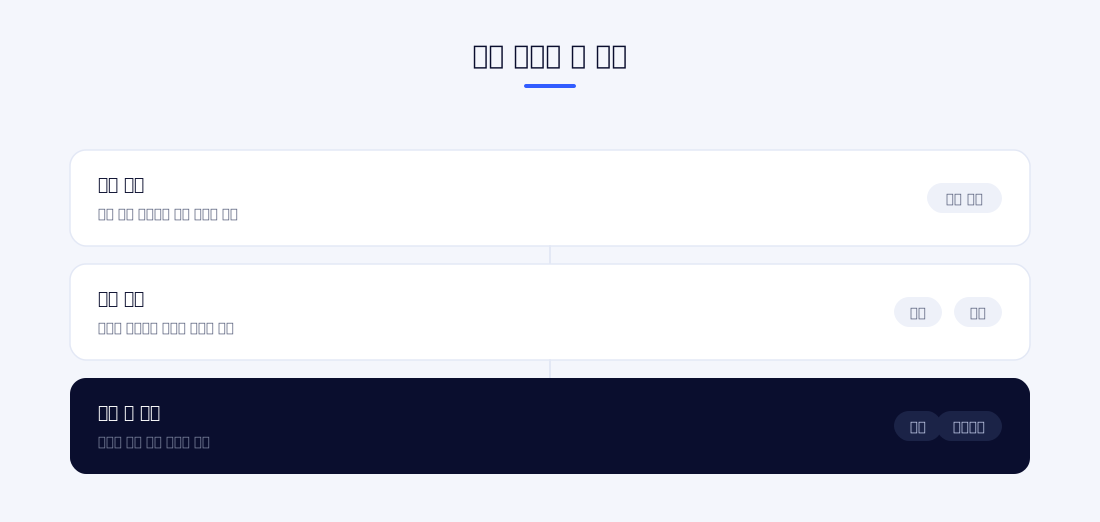
How the scope of control is widened
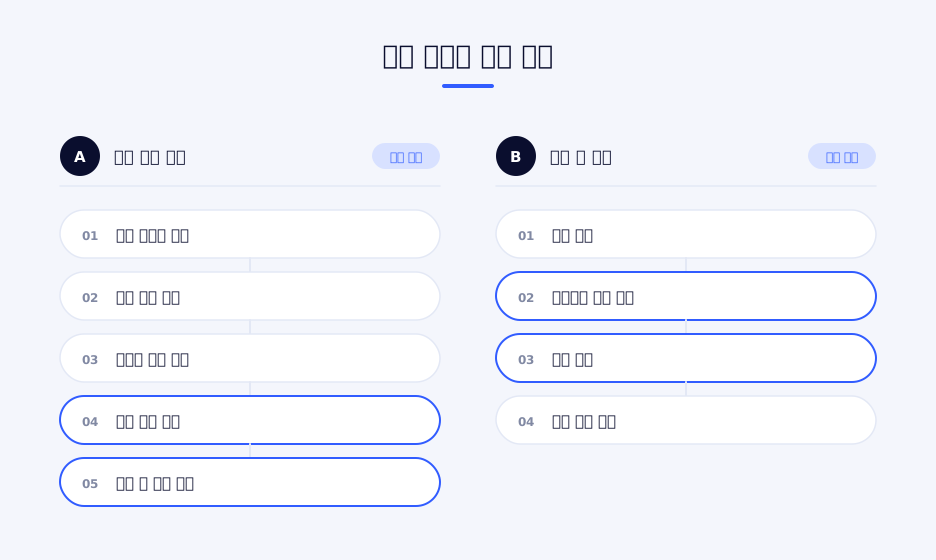
Document security can be thought of in stages: a stage that blocks access, a stage that allows access but restricts actions, and a stage that allows actions but leaves a record.
Not many problems are solved by blocking access alone, because access that is needed for work cannot be blocked. Restricting actions is more realistic, but if every action is blocked, work stops. In the end, most documents sit in the third stage, the area where actions are allowed but a record is left.
The printout watermark is a means for this third stage. It does not block printing, but it leaves the fact of printing and the person who did it on the document. Approaching the problem through tracing rather than blocking widens the scope of control without getting in the way of work.
Conditions for a security solution to take hold
For an adopted security solution to actually be used, three things are needed: it must not slow work down significantly, there must be a path for dealing with exceptions, and a record must remain to check when a problem occurs.
If even one of these is missing, business users look for a way around. They send documents to personal email, photograph the screen, or create documents outside the system altogether. When that happens, the situation is worse than before adoption, because you no longer even know where the uncontrolled documents are.
Organization integration
We integrated with HR data so that permissions follow organizational changes. If a department transfer or a departure is not reflected, the permissions remain, and that in itself becomes a risk factor.
Document classification management
Documents are divided into classification levels, and a different policy is applied to each level. Controlling every document at the same level increases the management burden and the inconvenience for business users.
What is needed from the operator's point of view
For a security solution, operation is longer and harder than adoption. Adoption happens once, but operation continues every day.
Most of what an operations administrator handles in a day is fixed: setting permissions for new employees, adjusting permissions for employees who changed departments, reviewing exception requests, and checking for anomalies. If each of these tasks has to go through several steps, all of the administrator's time goes into them.
That is why, for the admin console, lookup and processing speed matter more than an elaborate dashboard. The administrator has to be able to find the user they need quickly, change permissions right away and confirm the outcome. Bulk processing by organizational unit was included for the same reason.
The scope a watermark covers
A printout watermark is not a means of stopping every leak. What it can and cannot do is clear.
What it can do is confirm the source of printed paper. When a document is found outside, you can confirm when and by whom it was printed, and that information is the starting point for follow-up action.
What it cannot do is control paths where the output itself is not detected. Photographing a screen or copying out the content by hand cannot be stopped by software. These paths belong to an area that has to be handled through physical controls or rules.
It is important to distinguish what technology will solve from what it will not. If you try to block everything with technology, the system becomes complex and work becomes inconvenient, while the paths that cannot be blocked remain exactly as they were.
Export control
Actions that send documents out through unapproved paths are restricted. This covers moving them to external storage devices or personal storage.
Anomaly checks
If a particular user views or prints an abnormally large number of documents in a short period, they are flagged for checking. People cannot look at every action, so a feature that narrows down what to look at is needed.
4. Outcome
The solution was deployed in an environment used by a cumulative 3,000 employees. As a security policy that had applied only to digital documents was extended to printouts, the uncontrolled gap shrank.
Leaving a tracing clue on printouts is different in nature from blocking. Because it creates a basis for checking in the event of a leak without blocking work, there is less resistance from business users and fewer attempts to work around it. This balance matters for a security solution to actually be used.
Splitting permissions by function follows the same line. Instead of blocking a whole document, controlling only as much as needed, for example leaving reading open and restricting only printing, gives users less reason to work around the system.
Logging view and print history made after-the-fact verification possible. When an incident occurs, the path can be narrowed down from records rather than from guesswork.
Core design If the goal is perfect blocking, work gets blocked, and blocked work is handled outside the system. We chose to widen the scope of what can be controlled.
What we confirmed during rollout
When applying a security solution to an organization, the biggest variable is not technology but user acceptance. Even if the system works properly, the rollout stops if business users judge it to be inconvenient.
So we did not widen the scope of application all at once but expanded it in stages. We applied it to some organizations first to see what inconveniences came up, reflected that feedback, and then widened the scope. Had we applied it company-wide from the start, the same inquiries would have come in all at once from 3,000 people.
Most of the early requests were about exception handling. There were more varied cases than expected where something was truly needed for work but was blocked by policy. We responded by organizing these requests into types and reflecting them in policy rather than handling them one by one. Handling them individually is quick in the moment, but it leaves no record and the same requests keep coming in.
Coordinating between policy and work
Security policy is made by the security department, but it is business users who are affected by it. Because the two sides have different standards, coordination is needed, and this coordination has to be done by people, not by the system.
What the system can do is reflect the result of that coordination quickly. That means building a structure in which a policy is applied immediately once it is decided, an exception is reflected right away once it is approved, and a record remains of what changed and how. This is why policy is managed as data rather than code.
The relationship between performance and security
Applying a protection policy to a document adds processing to opening and saving it. If that processing is slow, users make unprotected copies to work on.
In a security solution, performance is not a matter of convenience but a matter of security. A slow system creates workarounds, and documents that go around it end up outside control. This is why we set keeping document open time and print wait time below a certain level as a baseline.
What users see
Most of a security solution is invisible to users. Opening and saving documents works as before, and policy is applied behind the scenes.
There are two moments when users become aware of the system: when something is blocked, and when a watermark is printed on their printout. The experience of these two moments determines their impression of the whole solution.
When something is blocked and the user cannot tell why, frustration builds. This is why the screen explains which policy caused it and, if needed, what procedure to follow. Without that guidance, users ask the security department, and work is delayed by that much.
Leaving it as behavior, not as a rule
Internal security rules mostly exist as documents. They state what must not be done, are conveyed through training, and are acknowledged with a signature.
The problem is the distance between the rule and what actually happens. Even when people know the rules, they are not followed in urgent situations, and not even the fact that they were not followed is recorded. A violation is confirmed only after an incident, and by then the document has already left.
Moving this into a system turns the rule into behavior. A watermark is attached automatically at print time, unauthorized export is blocked on the spot, and when an exception is needed it goes through approval. The benefit of this approach is that it reduces what people have to remember and judge.
At the same time, a record remains. Compliance can be checked later, and how the policy is actually working can be seen in data. This is the biggest difference from rules that exist only as documents.
5. Technical Stack
Scope of application: The document protection policy is applied to the file itself, and the file opens only in an authorized environment. The watermark is inserted in the print path.
Policy management: Permissions and policies are managed as data so that administrators can change them. The system is not modified even when the organizational structure changes.
History management: View and print records are stored and can be looked up. The records are the only basis for after-the-fact verification, so they are protected separately.
Design principle: Whether a security solution succeeds depends more on acceptance by business users than on technology. We took as our principles widening the scope of control without getting in the way of work, and having exceptions handled inside the system.
Problems we dealt with during implementation
- Watermark density: Too dark and the document is hard to read; too faint and it disappears in the copying process. We had to find the balance point between readability and traceability.
- Workaround attempts by business users: When control is excessive, users handle work outside the system. This is why we split permissions by function and created an exception procedure.
- Large-scale deployment: To apply this at a scale of 3,000 people, configuring policies individually makes management impossible. Bulk application by organizational unit was needed.
- Volume of history: View and print records accumulate quickly. Lookup performance and retention period had to be considered together.
If you are considering adopting document security
Define the allow list before the block list. If you start by deciding what to block, the list grows without end. Deciding first what is truly necessary for work and then controlling the rest is the realistic order.
Design the exception procedure from the start. No policy is without exceptions. If you do not create a procedure, exceptions are handled outside the system, and from that point the record is broken.
Decide the retention period for records first. View and print history accumulates quickly. If you do not decide how long to keep it and how to look it up, lookups get slower and storage costs grow as time passes.
Applying it in stages is safer. A company-wide rollout in one go is hard to reverse when a problem occurs. Confirming with some organizations and then expanding ends up being faster.
In summary
This project was the work of extending a security policy that had applied only to digital documents to cover printouts.
Blocking access makes it hard to deal with leaks by insiders, because access that is needed for work cannot be blocked. Instead, we designed the solution to leave a record of how far a document went, so that the very fact that a record remains acts as a deterrent.
At a scale of 3,000 people, policies cannot be managed individually, so bulk application by organizational unit and integration with HR data were prerequisites. Setting up a procedure so that exception requests are handled inside the system was also a condition for operations to be sustained.
6. Project Information
| Item | Details |
|---|---|
| Project name | Watermark DRM Solution Implementation |
| Scope | Security solution development |
Planning a similar project?
Share your requirements and timeline, and we will outline a suitable scope and setup.
Comments 0
Be the first to leave a comment.