MES / BOM
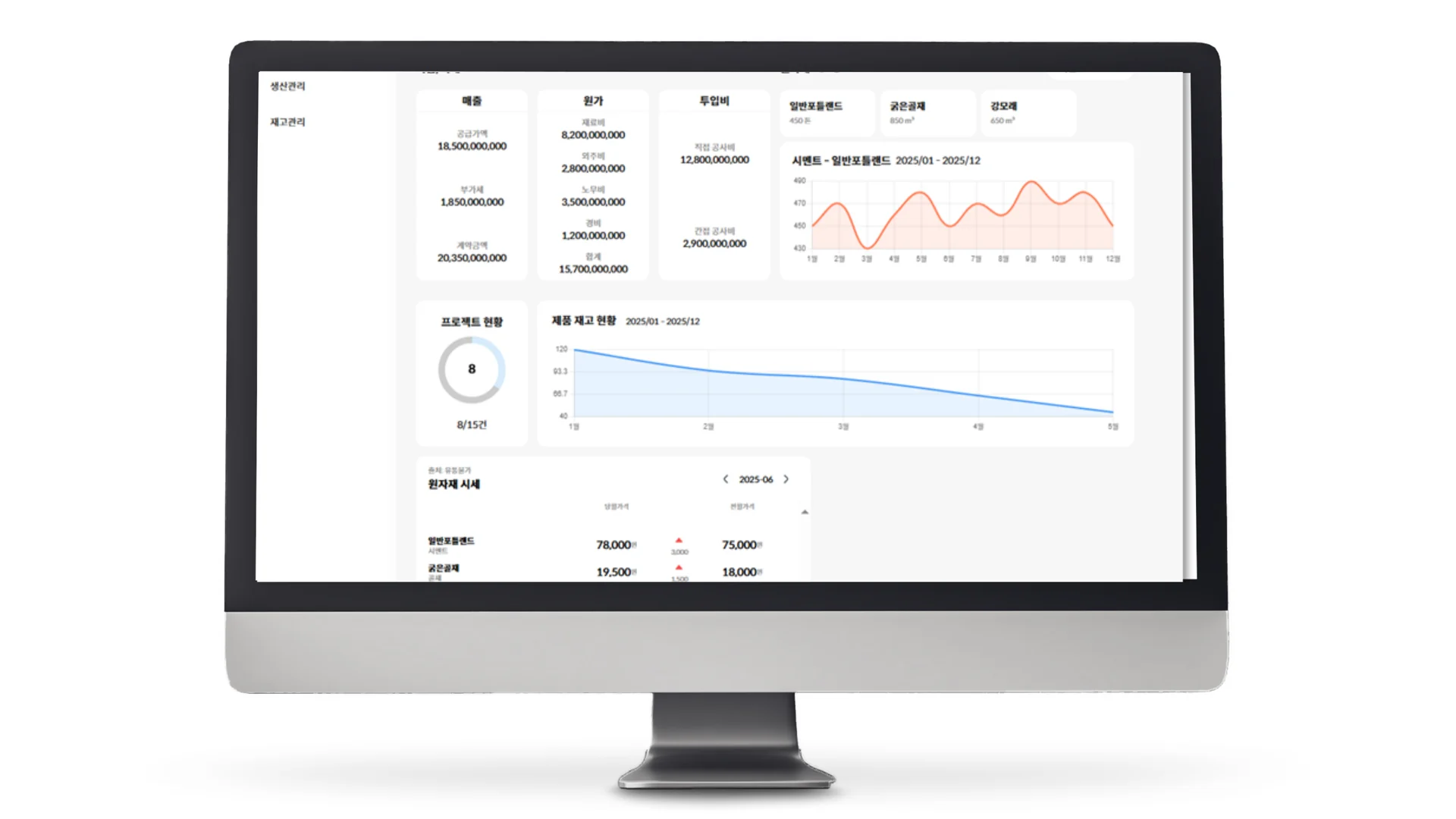
Case Summary
Client
KC Industry Co., Ltd. (collaboration)
Industry
Manufacturing execution management (MES), bill of materials management (BOM)
Period
January 2023 – December 2023
Challenge
Process management and material management ran separately, so the progress and material status of a single unit could not be checked in one step
Key features
BOM hierarchy management, automatic requirements calculation, process stage definition, progress tracking by unit, inventory and order management, material usage records
Outcome
Processes and materials integrated around the unit, material codes that differed by department unified, time taken per process and bottlenecks identified from data
1. About the Client
- Name: KC Industry Co., Ltd.
- Industry: Modular housing manufacturing and construction
- Production method: Housing units are built in a factory and assembled on site
- Task: A system that manages process progress and material supply against a single standard
In collaboration with KC Industry, we built a system that integrates MES (manufacturing execution system) and BOM (bill of materials). We were responsible for full-stack development.
2. Background
Modular housing is produced differently from conventional construction. Instead of building from scratch on site, room-sized units are made in a factory, transported to the site and assembled there. This shortens the construction period and keeps quality consistent, but it adds one more thing to manage: the factory production schedule and the on-site construction schedule have to be aligned.
If a single unit is late, the assembly sequence on site slips. Conversely, if the site schedule is late, space is needed to store the finished units. Cost is incurred the moment the two schedules drift apart.
When processes and materials are managed separately
This coordination becomes difficult when process management and material management are separate. The production manager plans the schedule from the process chart, but whether that schedule is feasible depends on whether materials arrive on time. The materials manager looks at purchase orders, but has to check separately which process needs each material and when.
In the end, the two keep asking each other. Questions such as "When does this material arrive?" and "When does this process start?" go back and forth several times a day. Time passes while they ask and answer, and the situation changes again in the meantime.
The bigger problem is that the standards diverge. If the same component is written under one name in the process chart and under another name in the materials list, cross-checking itself becomes impossible. On sites managed with Excel, these mismatches accumulate.
It has to be seen at the unit level
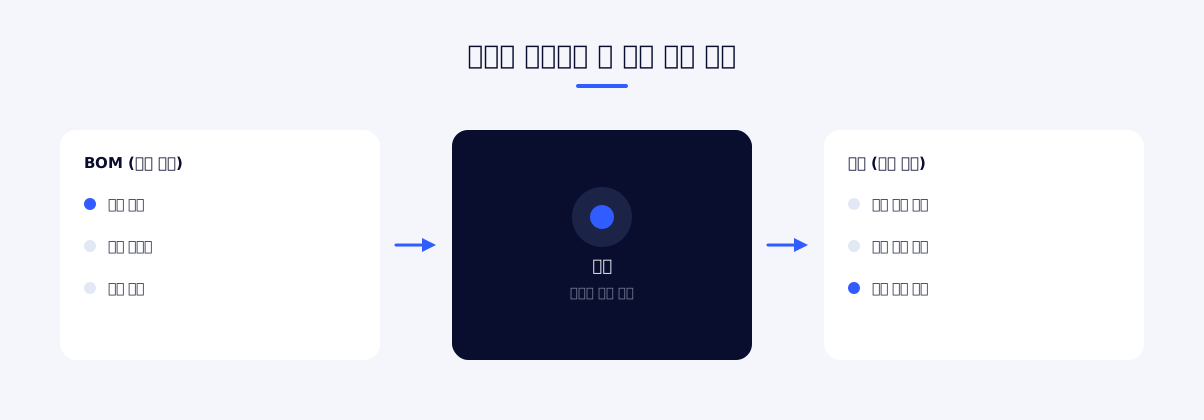
In modular housing, the basis of management is the unit. The materials that go into a unit are fixed, and so are the processes the unit goes through. But when processes and materials are managed separately, the question "How far along is this unit, and what is it missing?" cannot be answered in one step.
Over the course of 2023, we built a system to solve this problem. The goal was to tie processes and materials to the same standard and to view progress and material status together at the unit level.
In one line The job was to let process managers and materials managers check on screen what they used to ask each other.
Why a system was needed
A process chart can be made in Excel, and a materials list can be managed there too. Many sites actually work that way. The problem is that the two documents are not each up to date.
The person who edits the process chart and the person who edits the materials list are different people, and they edit at different times. Meetings end up spending time displaying the two documents side by side and comparing them, and then someone has to decide who will reflect the differences found there, and when. It is also common for files to travel by email and messenger until no one knows which one is the latest.
The reason for moving to a system is not that there are more features, but that several people can look at one set of data at the same time. The key is that a record remains of who changed what, and that a change is reflected on the other screens immediately.
3. Key Features
We combined production execution and material management into one system and connected the two sets of information around the unit.
Using the bill of materials as the standard
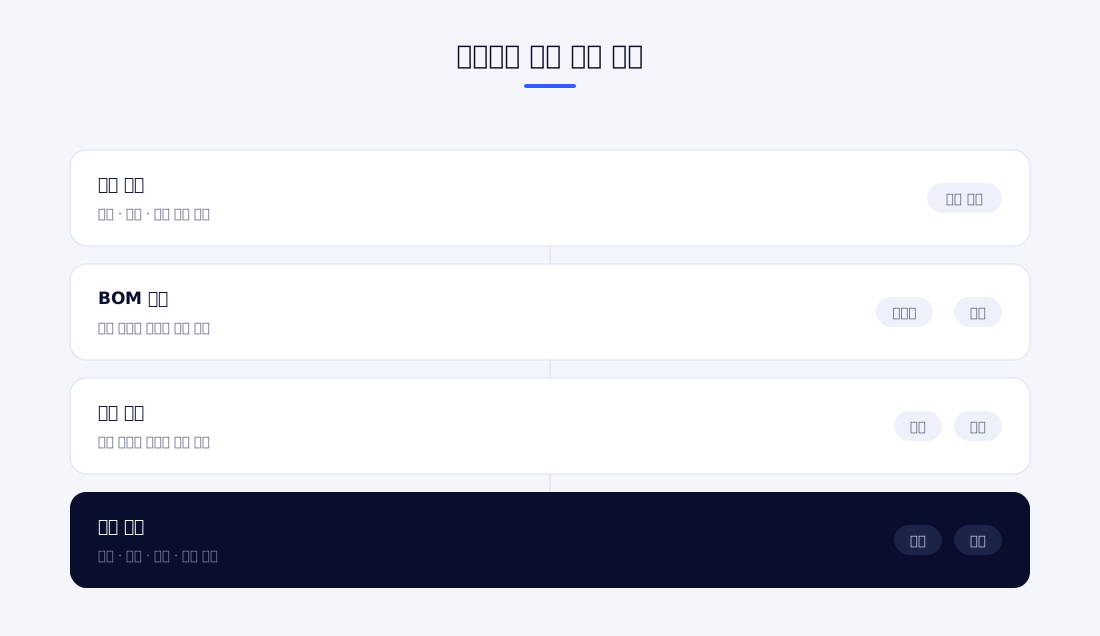
The starting point of the system is the BOM. It defines as a structure which components go into which product and in what quantity, and every screen shares this definition. Because the material names used in the process chart and in purchase orders become the same, the cross-checking work itself disappears.
The BOM is managed as a hierarchy, not a simple list. Under the finished unit there are sub-assemblies, and under those there are individual components. When the quantity of a higher-level item changes, the requirements below it are calculated along with it, so material requirements do not have to be recalculated every time the production plan changes.
Process progress management
Production processes are defined as stages, and the system records which stage each unit is in. When a process is finished the unit moves to the next stage, and that point in time is recorded. The records show how long each unit stayed in each process.
Because progress is viewed by unit, it is clear at a glance how far production has come against the overall plan. If units are piling up at a particular process, that process is the bottleneck.
Material supply management
The requirements calculated from the BOM are compared with actual inventory to identify shortages. Orders and receipts are recorded, and received materials are linked to the units they were used in.
Once materials are linked to processes, "the process that stopped because this material was missing" can be pinpointed. Conversely, "what is needed to start this process" can also be checked on screen. Both of the questions the managers used to ask each other become lookups.
Screen layout
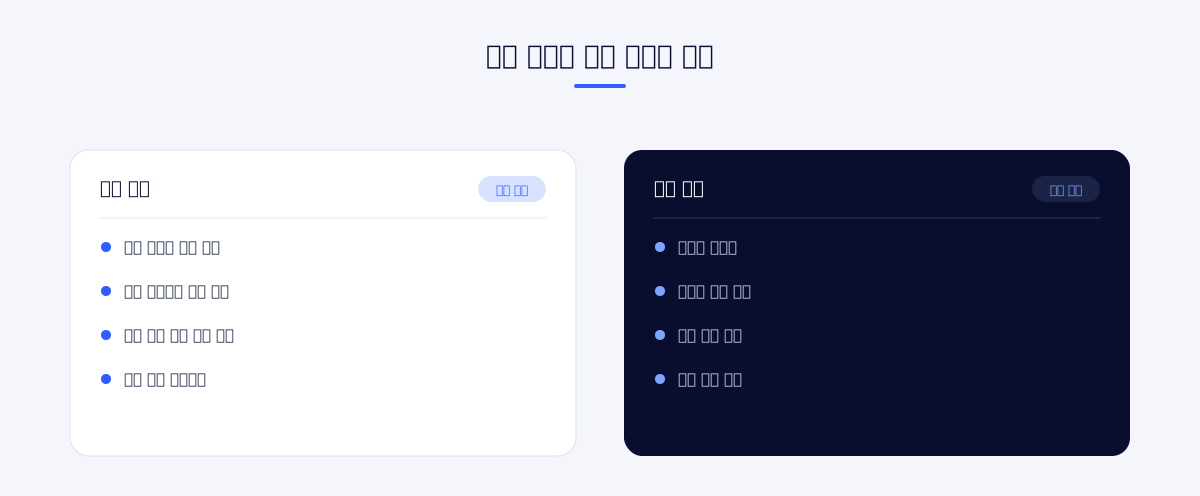
There are two groups of users: the staff who carry out production in the factory, and the staff who manage materials and schedules.
The production screen shows the units and processes to be handled today first. Because it is used on the shop floor, items are displayed large and process completion can be recorded with few actions.
The management screen shows the overall status. Progress by unit, backlog by process and material shortages appear together, and when necessary the user can open an individual unit to check the details.
Main features
Product structure management
The relationships among finished products, sub-assemblies and individual components are defined as a hierarchy. A component that goes into several products is registered once and referenced.
Automatic requirements calculation
When the planned production quantity is entered, the requirements for lower-level materials are calculated by following the BOM structure. No one has to recalculate each time the plan changes.
Process stage definition
The processes each product must go through are defined per product. Because different products have different processes, the process sequence is managed as data so that the system does not have to be modified when a new product is added.
Progress tracking by unit
The system records which process each unit is currently in and when it entered that process. As completion times accumulate, the time taken by each process can be checked.
Inventory status
Current inventory and scheduled receipts are shown together for each material. Shortages are displayed against requirements, so the timing for ordering is not missed.
Order and receipt records
Purchase orders and receipt processing are recorded. Received quantities are reflected in inventory and removed from scheduled receipts.
Material usage records
The system records which materials went into which unit and in what quantity. Comparing actual usage with the BOM-based requirement shows losses or excess usage.
Process backlog check
The number of units waiting at each process is displayed. If units are concentrated at a particular process, that point is determining the overall production speed.
Status against the production plan
Planned quantities are compared with completed quantities. This shows whether the schedule is slipping and from what point it started to slip.
Master data management
Material codes, product codes and process codes are managed in the system. With the code scheme established in one place, the problem of each department using a different name does not arise.
How the work proceeded
Over one year, the work proceeded in this order: master data cleanup → BOM structure → process management → material supply. If the master data is not settled first, all of the later work becomes unstable.
A considerable part of the early period was spent organizing material codes and product codes. It does not look like development work, but the system only has meaning once this agreement is reached. Bringing components that each department called by a different name under a single code required confirmation from the working staff several times.
Once the structure was in place, we entered real data and checked it as we built the screens. Validating only with planned data misses the exceptions that surface in actual operation.
Making it used on the shop floor
The most common reason a production management system fails is that data is not entered on the shop floor. Without input no data accumulates, and without data the management screen is an empty shell.
So we spent time reducing the number of actions on the shop-floor screen. Process completion can be recorded in a few taps, frequently used items are placed up front, and input errors are easy to undo. Making the shop-floor screen light determines the success or failure of the system more than adding features to the management screen.
Performance aggregation
Process completion records are gathered by period. Daily and weekly production results are produced without separate aggregation, which reduces the work of reorganizing data to prepare reports.
History lookup
The processes a unit has passed through and the materials used in it can be checked as a history by unit. When an issue is raised after delivery, it is possible to check which materials the unit was built with and which processes it went through.
What becomes visible once data accumulates
When a system first goes into use, the first few months are a period of collecting data. During this time it can feel more cumbersome than the previous way of working, because there is more input but nothing to look at yet.
Once a certain amount of data has accumulated, things that could not be known before come to light: which process takes longer than planned, whether material loss is high only for a particular product, whether it is always the same materials that are ordered late. Sometimes what the shop floor knew from experience is confirmed in numbers, and sometimes the results differ from expectations.
The effect of introducing the system appears only when this stage is reached. That is why it is important to keep input from being interrupted early on. If there is a gap in the data, the baseline for comparison itself disappears.
When two departments look at the same screen
What changes most with the introduction of the system is the nature of meetings.
Previously, half of the meeting time was spent aligning on the current status. Because the process manager's material and the materials manager's material differed, the meeting had to start by checking which one was right. If someone brought material based on last week's data, the meeting was postponed once more.
When everyone looks at the same screen, this time disappears. The meeting starts from decisions, not from checking the status. Time is spent on decisions such as which process to assign more people to and which material to order first.
This change is closer to the practical effect of introducing the system than adding features is.
4. Outcome
We integrated process management and material management into one system. The problem of departments using different names for the same material disappeared, and so did the work of cross-checking the process chart against the materials list.
By viewing progress and material status together by unit, it became possible to answer "How far along is this unit, and what is it missing?" in one step. Information that staff used to confirm by asking and answering each other became an on-screen lookup.
Because the BOM is defined as a hierarchy and requirements are calculated automatically, the manual work of recalculating material requirements every time the production plan changes was eliminated. In an environment where plans change frequently, this makes a large difference.
With the time taken by each process and the backlog status kept as records, bottleneck processes are now identified from data rather than intuition. There is now a basis for judging which process needs more people.
Core design The core of this system was tying processes and materials to the same standard (the unit and the BOM), rather than building each of them well on its own.
We built the system in collaboration with KC Industry over about one year, from January to December 2023.
Remaining work and directions for expansion
This build focused on bringing production and materials inside the factory together. Given the nature of modular housing, the next step is the link to the on-site construction schedule.
If the time a unit is completed in the factory and the time that unit is needed on site are aligned within the system, both the period finished units are kept in storage and the time the site spends waiting can be reduced. However, site schedules are affected by external factors such as weather and permits, so they are hard to manage as precisely as factory schedules.
Attaching quality data is also a natural extension. If inspection results for each process are kept together with the unit history, the process in which a problem originated can be narrowed down when one occurs. Since tracking by unit is already in place in the current structure, this can be extended by adding inspection items.
Excel was not eliminated entirely
Even after the system is introduced, Excel remains. Excel is still convenient for trying out a temporary calculation, sending material to an outside party, or organizing items that are not in the system.
What matters is not eliminating Excel but deciding where the original is. Once the distinction is established that the data in the system is the standard and Excel is the result of downloading and processing it, mismatches do not arise. Conversely, if work done in Excel is entered into the system afterward, the system becomes a ledger that follows along late.
This is why we made lookup results downloadable. Instead of blocking the processing people need, we made sure it always starts from the latest data.
5. Technical Overview
System scope: A web-based production management system in which the factory floor and the management departments see the same data. The shop floor handles process recording, and the management departments handle plans and materials.
Data structure: The relationships between products and materials are held as a hierarchy, and processes and units are managed as a separate axis. Because the two axes meet at the unit, progress and material status can be queried together.
Master-data-centered design: Material, product and process codes are managed in the system and referenced by every screen. If codes are scattered, integration loses its meaning, so we organized the master data first and built the features on top of it.
Design principle: The most important thing in this system is that the two departments see the same data. Rather than adding many features, we focused on building a structure in which information entered on one side is reflected as is on the other side's screen.
Problems addressed during implementation
- Organizing the existing code scheme: Before the introduction, each department used different names. Agreeing on a code scheme had to come before building the system, and this process was as important as the development.
- Frequency of plan changes: Production plans change often. Requirements have to be recalculated with every change, so unless the calculation is automated, using the system becomes a burden instead.
- Burden of shop-floor input: Data accumulates only when process records are entered on the shop floor. If input is cumbersome, it gets done in batches later, and then real-time status loses its meaning. We spent time reducing the number of actions on the shop-floor screen.
- Reflecting the nature of modular housing: Unlike general manufacturing, the finished product is part of a building and is tied to the on-site construction schedule. A system that looks only inside the factory is not enough, so we took tracking by unit as the standard.
If you are preparing a similar project
There are three points we would pass on to organizations considering a production management system.
Master data cleanup must be scheduled separately. Unifying material codes and product codes is a task separate from system development, and it requires time from the working staff. If this work is buried inside the development schedule, it will cause delays.
The shop-floor screen should be checked first. The management screen is easy to build because its requirements are clear, but with the shop-floor screen there is no way to know what is inconvenient until it is actually used. It is safer to open the shop-floor screen early and collect feedback.
It is better not to put in every feature at once. With many features, users have more to learn, and adoption is delayed accordingly. Adding features after the core flow has settled turns out to be faster.
In summary
Modular housing is a structure in which factory production and on-site assembly interlock. When the two schedules drift apart, cost is incurred, and coordinating them is possible only when processes and materials are viewed against the same standard.
Over the course of 2023, we defined the BOM as a hierarchy and tied process management and material supply together at the unit level. The master data cleanup, which brought materials that each department called by a different name under a single code, was the prerequisite, and the remaining features had meaning only after that agreement was reached.
As a result, the question "How far along is this unit, and what is it missing?" can now be answered with an on-screen lookup.
6. Project Information
| Item | Details |
|---|---|
| Project name | MES / BOM system build (modular housing) |
| Scope of work | Full-stack development |
Planning a similar project?
Share your requirements and timeline, and we will outline a suitable scope and setup.
Comments 0
Be the first to leave a comment.