HRDK KIOSK (CBT Attendance Management)
Case Summary
Client
Human Resources Development Service of Korea (HRDK)
Industry
Public sector, national qualification examination operation
Period
December 2024 to March 2025 (about 4 months)
Challenge
In the short time just before a test started, proctors had to handle identity verification, attendance, and seat guidance all at once
Key features
Face recognition identity verification, automatic attendance recording, seat guidance, exception handling flow, automatic updates and power control
Outcome
Attendance procedure changed to self-service by candidates, with proctors responding only to exceptions
1. About the Client
- Name: Human Resources Development Service of Korea (HRDK, 한국산업인력공단)
- Industry: Administration and operation of national qualification examinations
- Target environment: CBT (computer-based test) centers
- Task: Handle the identity verification and attendance procedures that pile up just before a test starts, while maintaining accuracy
We were responsible for developing the desktop kiosk application installed at test centers.
2. Background
The busiest time at a CBT (computer-based test) center is just before the test starts. In the short window when candidates arrive all at once, IDs have to be checked, attendance recorded, and seats assigned. When proctors handle each person one by one, the line grows, and when checks are rushed, the accuracy of identity verification drops.
Identity verification is a matter of fairness
A drop in accuracy is not a mere inconvenience. In national qualification examinations, identity verification is the procedure that upholds the fairness of the test. If proxy test-taking cannot be prevented, the results of that entire test come under suspicion. Yet on site, this procedure is carried out at the busiest time and in the greatest hurry. The importance of the procedure and the conditions under which it is performed are out of step.
Letting candidates handle it themselves
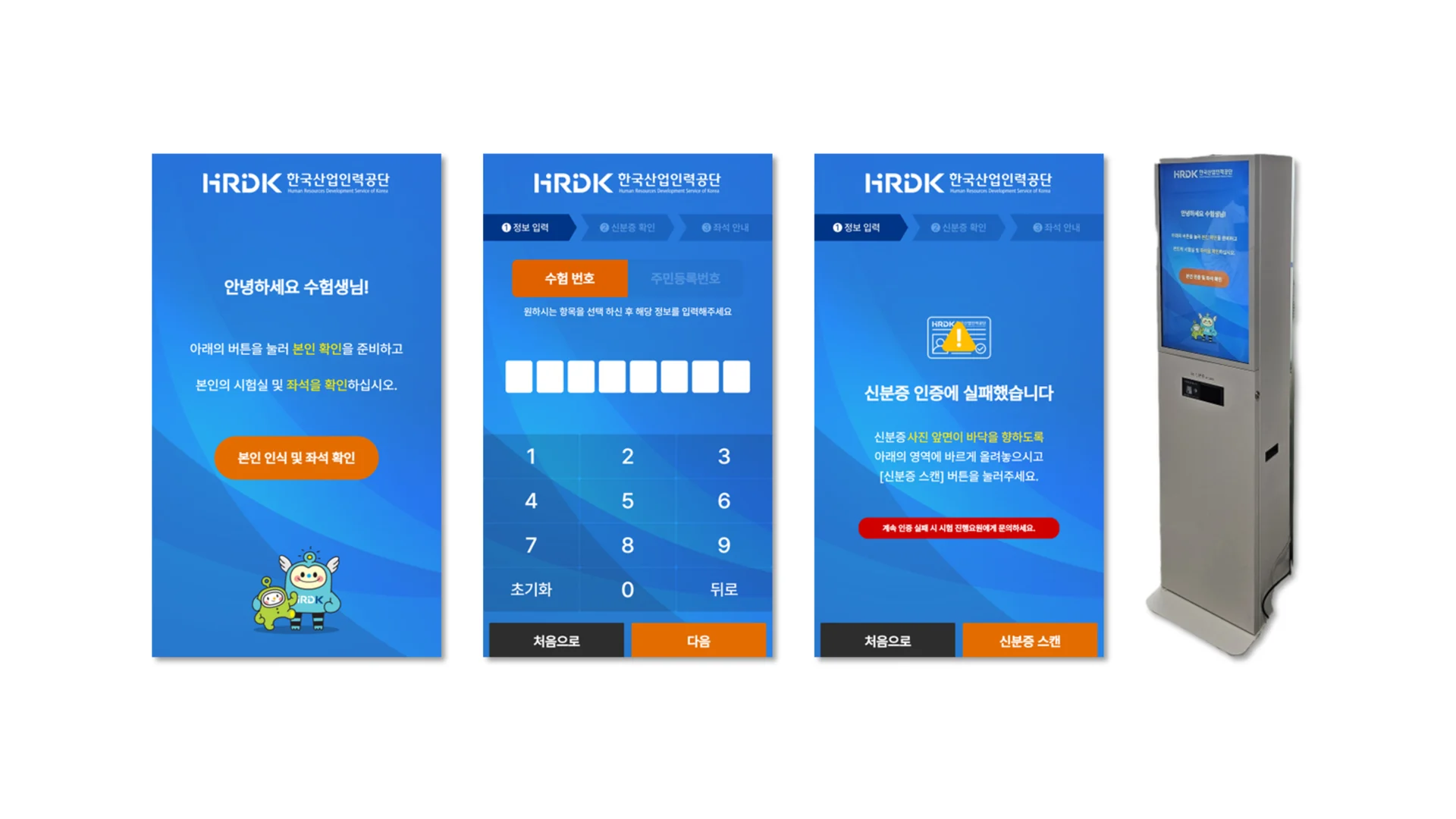
Together with HRDK, we moved this process to a kiosk from December 2024 to March 2025. When a candidate stands in front of the kiosk, face recognition verifies their identity, attendance is recorded, and the assigned seat is shown on screen. Instead of checking every candidate, proctors handle only the exceptions.
The fact that this is test center equipment also affected the design. A test center is not a space that operates all the time. It opens only on test days, and no staff member is stationed there. Turning the equipment on and off, keeping the software up to date, and checking records when a problem occurs all had to be possible remotely.
In one line The goal of automation is not to remove people but to narrow down the points where people are needed.
3. Key Features
We built a desktop kiosk application installed at test centers. Everything from control of the recognition device to the screen flow, administrator functions, and unattended operation functions is contained in a single application.
Screen flow
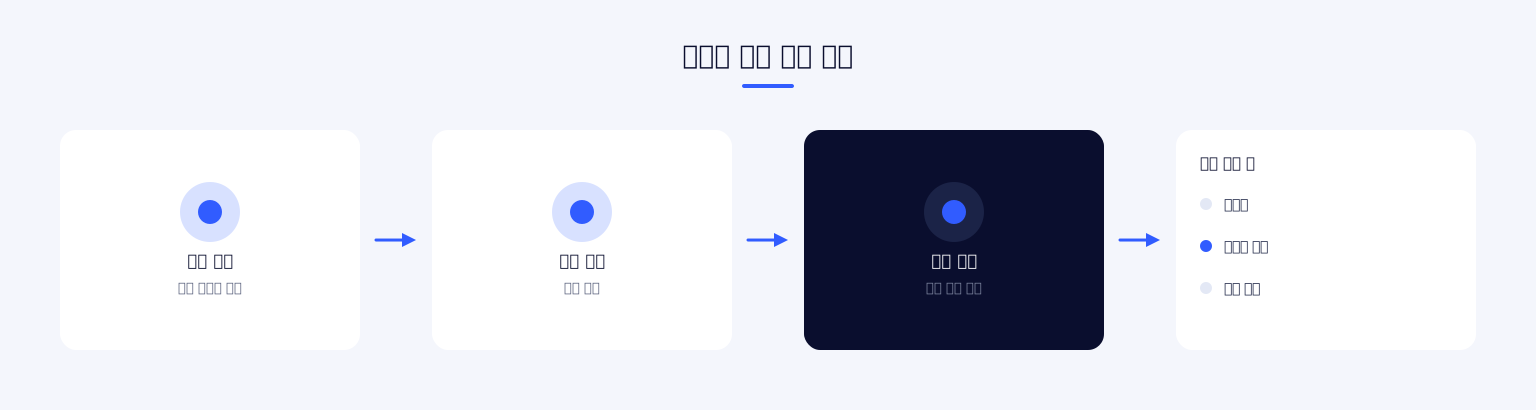
The candidate's path was designed to be simple and one-directional. It starts at the standby screen, goes through the guide and into identity verification, and after the recognition result is confirmed it branches to the success or failure screen. On success, the seat information is shown and the kiosk returns to the standby screen; on failure, the candidate retries or moves on to the proctor verification procedure.
Each screen has only one role. The identity verification screen only recognizes, and the result screen only confirms. Candidates are tense just before a test, and having several options at that moment actually increases input errors.
Recognition device integration
Face recognition is handled by a dedicated device. We integrated it by calling the library provided by the device manufacturer directly from the application. With no intermediate layer, the functions the device provides can be used as they are, which also helps recognition speed.
The device integration code is separated from the screen logic. The recognition device may be replaced depending on the test center environment or procurement circumstances, so we drew the boundary so that the screen flow does not have to be rebuilt when the device changes.
Design for the test center environment
A general kiosk and a test center kiosk have different operating conditions. A cafe kiosk is used a little at a time all day, whereas a test center kiosk is used by dozens of people in a row during a specific time window. It normally stays switched off entirely and runs only on test days.
With this usage pattern, the worst case matters more than the average processing speed, because when one person takes a long time, everyone behind is held up. So we designed it to make the normal flow as short as possible and to move time-consuming situations onto a different path altogether. This is why the failure screen and the proctor verification path are kept separate.
Administrator functions
The administrator screen is locked with a password. Ordinary candidates must not be able to enter it by mistake, and at the same time test center staff must be able to get in right away with only the password. On the administrator screen, device settings and status are checked.
Unattended operation functions
Power control of the equipment, automatic updates, local settings storage, and operation logging are included in the application. These functions are for handling remotely the work of turning the equipment on and off according to the test schedule and updating the software.
Logs are written to files. When a problem occurs at a test center it cannot be reproduced on the spot, and the only thing that can be checked later is the record. We defined the log items so that it is possible to tell at which step the process stopped and whether recognition failed or communication failed.
How the proctor's role changes
Introducing a kiosk does not make proctors unnecessary. What changes is the work they do. It shifts from checking every candidate one by one to attending only to those who cannot be verified.
We designed the screens on the premise of this change. When recognition fails, instead of the candidate holding on and trying to resolve it alone, the flow moves quickly to the path for calling a proctor. Setting the goal of automation as "narrowing down the points where people are needed" rather than "removing people" changes the design.
How the work proceeded
Over four months, we first verified the recognition device integration and then built the screens and operating functions on top of it. In a project that connects to hardware, whether integration is feasible is the biggest variable in the schedule. Only after confirming that calls to the device library worked reliably could we fix the rest of the schedule.
The screens were adjusted several times to fit the actual operating flow of the test center. The actual path candidates take depends heavily on the input of staff who know the site.
Screen structure
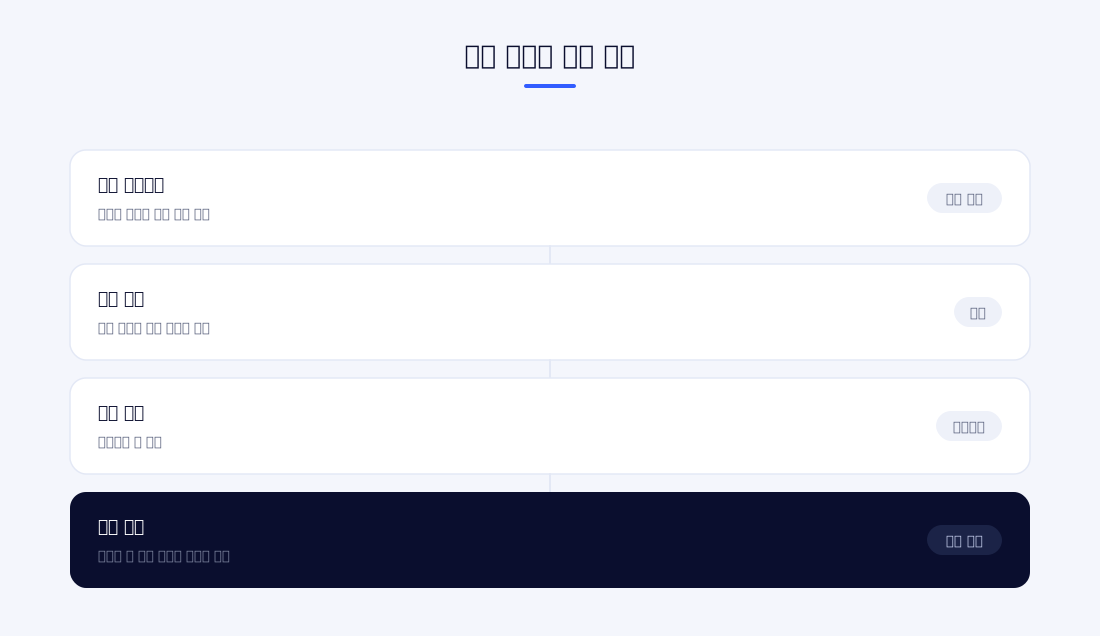
There are just over ten screens: standby, guide, identity verification, recognition in progress, result confirmation, success, failure, input, administrator entry, and the administrator screen. In addition, a common header, modal, and keypad component are reused across several screens.
The keypad was built as a separate component because there are cases where text input is needed in a touch environment. Test center kiosks operate without a keyboard, so an on-screen keypad is needed when information has to be entered in the manual verification procedure.
The depth of screen transitions is also managed. The current step is tracked so that going back and returning to the start always behave predictably. If steps become tangled, users lose track of where they are, and on unattended equipment there is nobody to get them out of that state.
Main features
Face recognition identity verification
The face captured by the kiosk camera is compared with the registered information to verify identity. Control of the recognition device is connected by calling the native library directly, so the functions of the device SDK are used as they are.
Attendance recording
The key to this approach is that candidates handle it themselves. In a structure where proctors check people one by one, processing speed is tied to the number of proctors, but kiosks process as many people at once as there are devices. Even as a test center grows in size, it can be handled by adding devices.
Once identity verification is complete, attendance is recorded automatically. The process of a proctor checking against and marking a list disappears, and the record is stored in the system immediately. The omissions and duplicate markings that occurred with handwritten lists were reduced as well.
Seat guidance
Test center seats are often assigned at random, so candidates cannot know them in advance. Showing the seat at the end of the verification procedure lets the candidate find it in a single trip.
The assigned seat information is displayed on screen. Candidates check their seat and go straight to it, so proctors are asked about seats less often. This feature reflects the fact that most inquiries just before a test starts are about seats.
Exception handling flow
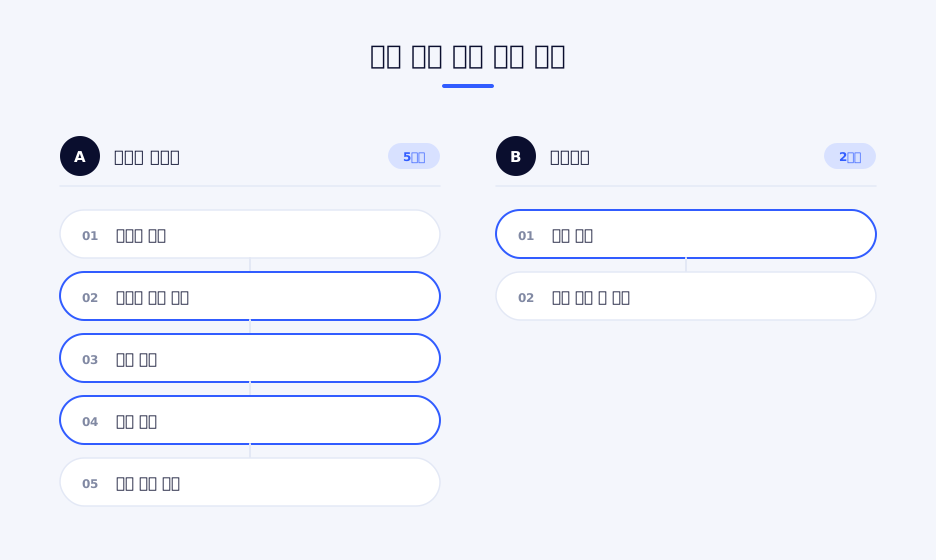
Recognition failure, unregistered candidates, and mismatched information are separated into their own screens. From the failure screen the candidate retries or moves on to the manual verification procedure, so that one person's exception does not stop the whole line. Exceptions are recorded separately so that the cause can be checked later.
Calling a proctor
When recognition fails repeatedly, the flow leads to calling a proctor. So that candidates do not lose time trying to resolve it alone, the next step is suggested first after a set number of attempts. Just before a test, moving quickly to the next procedure is better than resolving it on one's own.
Step-by-step guide screens
The standby screen and the guide screen are kept separate. Because candidates are seeing the equipment for the first time, the procedure starts after they are first told the order in which it proceeds. A path that skips the guide and goes straight to recognition is also provided.
Administrator mode
Device settings and status are checked on the administrator screen, which is entered with a password. It is used when test center staff inspect the equipment or change settings. The access path is not visible on the candidate screens.
Automatic updates
The application checks for the latest version and updates itself. Having staff install it manually at each test center makes versions likely to diverge, and once they diverge it becomes hard to trace which device had the problem.
Power control
The application runs commands to shut down or restart the equipment according to the test schedule. In an environment with no operating staff on site, equipment left running increases both the management burden and power consumption.
External system integration
Test information and candidate lists are managed in an external system. The application is integrated over socket communication to exchange the necessary information and deliver attendance results. We made the equipment operate within the existing test operation framework rather than making decisions independently.
Local settings storage
Settings for each device are kept locally. Values that rarely change once set, such as the test center address or the device number, go here. This is because different values are needed at each test center, and the settings must be readable even at moments when the network is unstable.
Operation log
Main operations and errors are recorded in files. The records accumulate on the device and are checked when needed. A test center is an environment where problems are hard to reproduce, so the record is in practice the only clue. Log items are recorded separately for each step.
Manual input procedure
For candidates who cannot be verified by recognition, we provided a path for entering information directly. Because there is no keyboard, input is taken through the on-screen keypad. Unless a path for human intervention is left in an automated procedure, the whole system stops the moment an exception occurs.
Step tracking
The current step is tracked to manage screen navigation. Going back from any point returns to the expected screen, and the path back to the start always behaves the same way. This is a mechanism to keep candidates from falling into a confused state.
Key design decision In a busy time window, the worst case matters more than the average processing speed. This is why exception handling was moved out of the normal flow.
4. Outcome
We changed the test center attendance procedure from manual work by proctors to self-service by candidates. With identity verification, attendance recording, and seat guidance completed in one go on a single kiosk, proctors can focus on handling exceptions.
Automating identity verification with face recognition made the verification standard consistent. The variation that arises when people process checks in a hurry disappears, and the verification result remains as a record. This is a meaningful change in terms of the fairness required of national qualification examinations.
By including power control and automatic updates in the application, we created a structure in which staff do not have to manage the equipment individually at each test center. This choice fits the operating conditions of test centers with no permanent staff.
Because the recognition device integration is separated from the screen logic, the screen flow does not need to be rebuilt even if the device is replaced. In a system that connects to hardware, this boundary determines later maintenance costs.
The design that separates the exception handling path from the normal flow also proved effective on site. Even when a candidate cannot be recognized, the whole line does not stop; only that one person moves onto another path. The judgment that the worst case must be dealt with before the average in order to maintain throughput in a busy time window is reflected throughout the design.
Including logging from the start also helped. A test center is an environment where problems cannot be reproduced, so the only thing that can be checked afterwards is the log. By recording separately what failed at which step, we were able to narrow down causes without visiting the site.
Development took about four months, from December 2024 to March 2025. We managed the schedule by settling the recognition device integration first and then adding the screens and operating functions in order.
5. Technical Stack
Desktop App
An Electron-based desktop application. Screens are written in React and TypeScript and built with Vite, with Tailwind CSS for styling. Screen navigation is built with React Router.
There are two reasons we chose to build the screens with web technology while distributing it as a desktop application. One is that screens can be modified quickly, and the other is that operating functions such as device control, automatic updates, and power management can be handled in the same application.
Hardware integration
The recognition device is controlled by calling the native library directly through FFI (Foreign Function Interface). The functions provided by the device manufacturer are used without an intermediate layer. Integration with the external system uses socket communication.
Operating functions
The application includes automatic updates, a local settings store, log file recording, and system power control commands. All four are functions intended to make it unnecessary for a person to go to the site.
Process structure
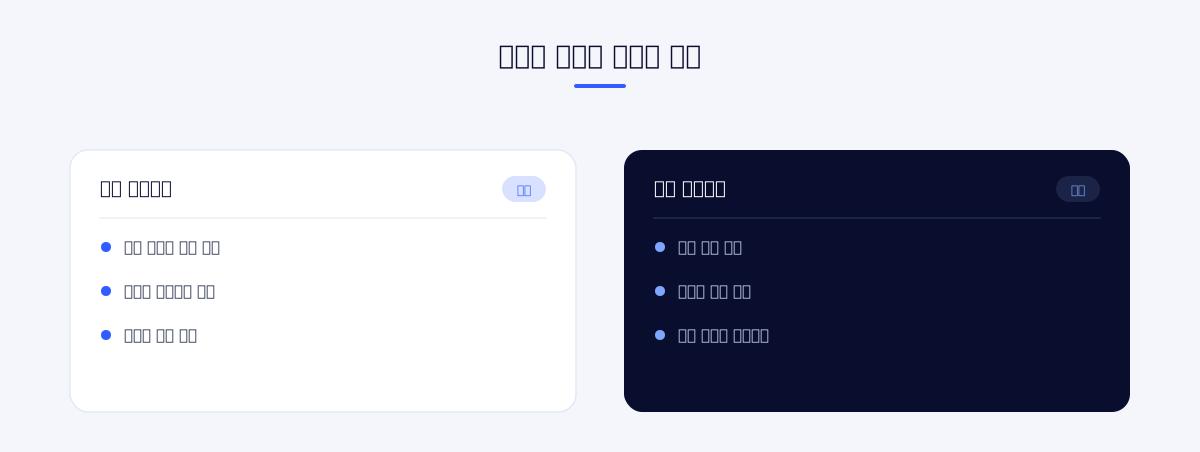
Electron's main process and the screen process are separated, and the communication path between them is defined explicitly. Work that requires system privileges, such as device control and file access, is performed only in the main process, and the screen makes requests only through the defined path. A kiosk is equipment handled by the general public, so leaving the permission boundary loose is risky.
Testing
Unit test and E2E test environments were set up together. Apart from the parts that can only be checked with the recognition device present, screen flow and state transitions can be verified without the device. Checking only on each visit to a test center would not have met the schedule.
Criteria for technology choices
The most important condition in this project was that "it operates even with nobody on site." Technology choices were aligned with this as well. Automatic updates, power control, and logging were placed inside the application because handling them with external tools would cause settings to diverge from device to device.
Choosing to call the recognition device directly follows the same reasoning. Putting an intermediate service in between adds one more thing to manage, and if that service stops, all recognition stops. Instead, we separated the device integration code to narrow the scope of impact when the device changes.
Problems addressed during implementation
Handling recognition failure. Face recognition is affected by lighting, angle, and whether a mask is worn. We treated failure not as an exception but as one branch of the normal flow, and included retry and manual verification paths in the design from the start.
Flow of the line. When one person is stuck, everyone behind stops. Separating the failure screen and creating a path that branches off to proctor verification was done to take exception handling out of the line.
Device version management. If versions differ between test centers, identifying the cause when a problem occurs is difficult. We added automatic updates to keep versions aligned and recorded version information in the logs as well.
Permission boundary. On equipment handled by the general public, it is risky for system privileges to be open on the screen side. We gathered the work that requires privileges into the main process and restricted the communication path.
Handling of personal information. Face data is sensitive personal information. We organized the processing path so that it is not left on the device beyond the scope needed for the verification procedure, and restricted access to administrator functions with a password.
Synchronization with the test schedule. The equipment should run only on test days. By handling power control in the application, we made it possible to bring the equipment state in line with the schedule remotely.
Remote checks. On the premise that the site cannot be visited, we put logs and status check tools in place first. Our judgment was that the means of observation must be built before the features.
Deployment and operation
Build, packaging, and automatic update distribution are set up as a single flow. When a new version is created, the equipment checks for it and updates itself, so there is nothing for test center staff to do. Settings files and logs are kept locally on the device and checked when needed.
The recurring work during the operating period is starting up the equipment according to the test schedule and checking its status. When the application handles these two things, operating staff do not increase in proportion even as the number of test centers grows.
6. Project Information
| Item | Details |
|---|---|
| Project name | Development of a CBT identity verification KIOSK (face recognition) |
| Scope of work | Kiosk application development |
| Technologies | Electron, React, TypeScript, Vite, FFI native integration, socket communication |
Planning a similar project?
Share your requirements and timeline, and we will outline a suitable scope and setup.
Comments 0
Be the first to leave a comment.